Is your AI-built app ready for production? A checklist
The screens of an app your coding agent built come together in an afternoon. Whether it is safe for real company data is decided underneath: who can see which records, where the keys live, what changed and who changed it, and who keeps it running. Here are twelve checks, and how to meet each one.
SegmentStream team · Updated 28 October 2026 · 9 min read
On this page
An AI-built app is ready for production when the server, not the browser, decides who sees each record; when no key sits in code; when every change is recorded with who made it; and when someone owns keeping it running. Everything else on this list follows from those four.
Coding agents such as Claude Code, Codex and Cursor are very good at the part of an app you can see. They are less reliable at the part you can't: the access rules that hold when someone edits a URL, the secret that should never reach the browser, the record of who changed a deal's stage last Tuesday. Those are the parts that decide whether the app can hold real customers, invoices and contracts.
This checklist works whatever you build on. Each item says what to check, how to check it, and what SegmentStream does by default.
The four launch blockers
If you only have an hour, check these four. An app that fails any of them should not hold real company data yet.
- Access is enforced on the server for every record. Hiding a button is not access control.
- No secret is in the code, an environment file or the browser. API keys belong to the platform, not the repository.
- Only people you invited can sign in. A sign-up form open to the internet is not an internal tool.
- Every change is recorded with who made it. Without history, nobody can explain a number or undo a mistake.
Why AI-built apps fail in production
Most AI-built apps that leak data have a login screen. The problem is what happens after it. A page checks that someone is signed in, then asks the database for records without asking whose they are. Change an ID in the address bar or the API call, and you see someone else's data.
This is not a new class of bug. Broken access control is the first entry in the OWASP Top 10:2021, and OWASP lists "bypassing access control checks by modifying the URL" among its typical forms. Coding agents reproduce it because the happy path works without the check.
Defaults matter too. Supabase's own documentation says to "enable RLS on every table in an exposed schema", because "a table in an exposed schema without RLS is readable and writable by any role with a grant on it" (Supabase docs). That is good advice, and it is exactly the kind of step an agent skips when nobody asks for it.
The checklist
| # | Check | How to verify | On SegmentStream |
|---|---|---|---|
| 1 | Access checked on the server for every record | Change an ID in the URL or API call while signed in as someone else | Every read and action is checked against the caller's roles by the service |
| 2 | Sign-in only for invited people | Try signing up with an address nobody invited | Invited members sign in with an email code |
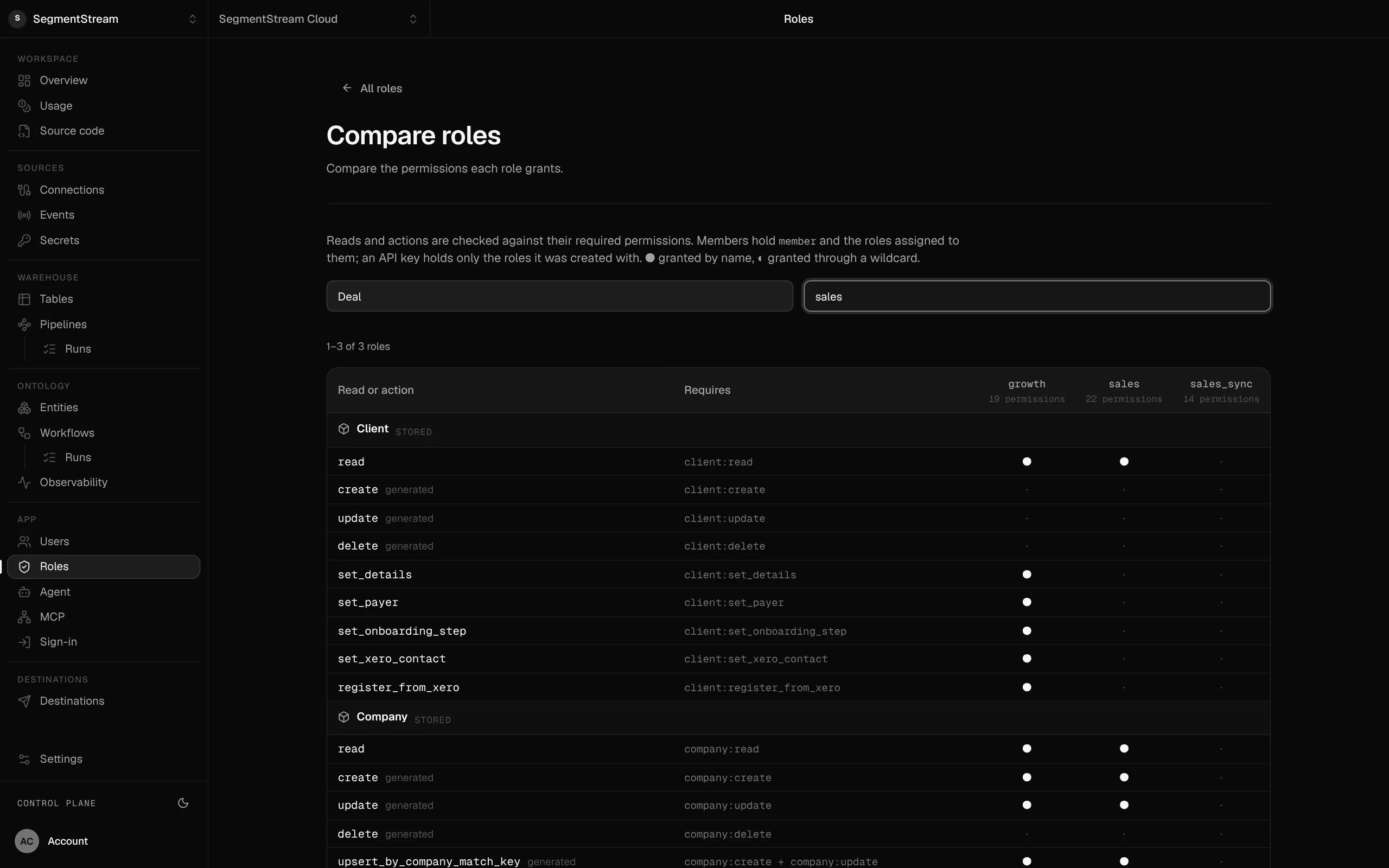
| 3 | Roles, not one shared login | List who can change what | Roles grant reads per entity and actions per action |
| 4 | No secrets in code or the browser | Search the repository and the built JavaScript for keys | Credentials live in connections, never in code |
| 5 | Every change through a defined action | Find every place that writes to the database | Every write is an action with its own checks |
| 6 | History of every change | Ask "who changed this, and when?" about one record | Each change is kept with the action and the person |
| 7 | Agents act as a person | Check which identity your agents use | Agents sign in as the member, with their roles |
| 8 | Data in one place you can export | Try exporting everything the app holds | Your database and repository are yours to take |
| 9 | Region and isolation | Find where the data is stored | Each workspace isolated, in the EU or the US |
| 10 | Deploys you can review | Ask what changed in the last deploy | Every change is a commit in your private repository |
| 11 | Scheduled work in one place | Find every cron job and script | Schedules and workflows are declared in code |
| 12 | Someone owns it | Name the person who fixes it at 9am on a Monday | The platform runs hosting, database, sign-in and connections |
1. Access is checked on the server for every record
The test is simple. Sign in as one person, open a record, then change its ID in the address bar or in the request your browser sends. If you see a record that person should not see, the app is not ready.
Fix it where the data is read, not in the page. Either the database enforces it (row-level security in Postgres) or a single service does, and every page, script and agent goes through that service. On SegmentStream, the app, the API and agents over MCP all go through the same service, which checks the caller's roles on every read and every action. A role can cover only some records, such as the caller's own.
2. Sign-in only for people you invited
An internal tool should have no public sign-up. Check whether anyone with an email address can create an account, and whether a person you removed can still get in.
On SegmentStream, people you invite sign in to your app with an email code, or a link the first time. They need no SegmentStream account, and nobody else gets in. Deactivate a member and their access ends.
3. Roles, not one shared login
"Everyone is an admin" is how most prototypes start. Before real data arrives, write down who may see and do what: sales can move their own deals, finance can approve invoices, support can read orders but not refund them. Then make the app enforce it.
4. No secrets in code, environment files or the browser
Search the repository and the built JavaScript for API keys. Keys in environment files end up on laptops and in logs. A key with a public prefix ends up in the browser bundle.
On SegmentStream, credentials for HubSpot, Stripe, Xero, Google Ads or any other API are held by the platform as connections. Code refers to a connection by name and never sees the key.
5. Every change goes through a defined action
If the app writes to the database from twenty places, the rules are in twenty places. Put every write behind a named action, such as "move a deal to a stage" or "approve an invoice", with its checks in one place. A deal that is lost needs a reason; an invoice above a limit needs a second approver.
6. History of every change, with who made it
Pick one record and ask who changed it last, and what it was before. If nobody can answer, add history before you add users. On SegmentStream, each change is kept with the action that made it and the person who ran it, whether they used the app, the API or an agent.
7. Agents act as a person, with that person's permissions
The quickest way to connect an agent is a shared API key with full access. It is also the way agents see salaries and change records nobody asked them to. Agents should sign in as the person they work for and get only what that person may do. See how to give AI agents access to company data safely.
8. Data in one place you can export
AI-built apps tend to scatter data: a hosted database here, a spreadsheet there, files in someone's drive. Keep the records in one database you control, and check you can export all of it. On SegmentStream, each workspace's code lives in its own git repository, which you clone with plain git, and the database is yours, with full API access.
9. Region and isolation
Find out where the data is stored and whether it is separated from other customers' data. Customers and auditors will ask. Each SegmentStream workspace is isolated, and you choose the EU or the US when you create it.
10. Deploys you can review
A deploy should be a change someone can read. When the app is built by an agent, review its changes as a pull request before they go live. On SegmentStream, the workspace is a private git repository and segmentstream deploy checks the change before it ships.
11. Scheduled work in one place
Nightly imports and weekly reminders tend to live in a cron service, a laptop or a forgotten script. Declare them in the code, next to what they do, so they are reviewed and deployed with everything else. On SegmentStream, schedules for data pipelines and for workflows that act on your records are declared in the repository.
12. Someone owns it
Dependencies age, provider APIs change, models are replaced. Name the person who keeps the app running, and decide how much of the stack they should have to run. The less infrastructure your code carries, the less there is to maintain.
How to run the checklist on an app you already have
- List what the app touches. Every table, file store, external API and scheduled job.
- Test access as a stranger. Two accounts, two browsers, swap the IDs.
- Search for keys. In the repository, its history and the built JavaScript.
- Trace one change. Edit a record, then try to find out who did it from the app alone.
- Name the owner. If nobody will maintain it, either assign someone or move it somewhere that maintains the infrastructure for you.
Moving an AI-built app to SegmentStream
If your app already works but fails the blockers, you don't have to start again. Install the CLI, then ask your coding agent to move the app: model the records and roles, move the screens into the app, and declare the connections it needs. Data comes over through connections; a Supabase project, for example, connects with its secret key and its tables import into your records.
The comparisons of SegmentStream with Lovable, Replit and Vercel show where each fits, and where to deploy software your coding agent built compares the options side by side.
Frequently asked questions
Is a login screen enough to protect my app's data?
No. A login screen only proves who someone is. The server also has to check, on every read and every change, that this person may see or change that record. Test it by changing an ID in the address bar while signed in as someone else.
Can I put an app Claude Code built straight into production?
Yes, once it passes the four launch blockers: access checked on the server for every record, no secrets in code or the browser, sign-in only for invited people, and a history of every change. On SegmentStream those come with the platform, so the app your agent builds starts with them.
Where should I host an internal app built with AI?
Somewhere that gives it sign-in for your team, roles, a database with history and a place for credentials, not just a server. Hosting alone leaves those to your code. See where to deploy software your coding agent built.
Who maintains an app after the coding agent has built it?
Someone has to. The less infrastructure the app carries itself, the less there is to maintain. On SegmentStream the platform runs hosting, the database, sign-in and connections, and your repository holds only your business rules and screens.