
A company agent that answers each person as themselves.
One agent per workspace, built from the agent/ folder with the Agent SDK. It answers in Telegram as the member talking to it, with that member's permissions, and reaches your business only through the ontology.
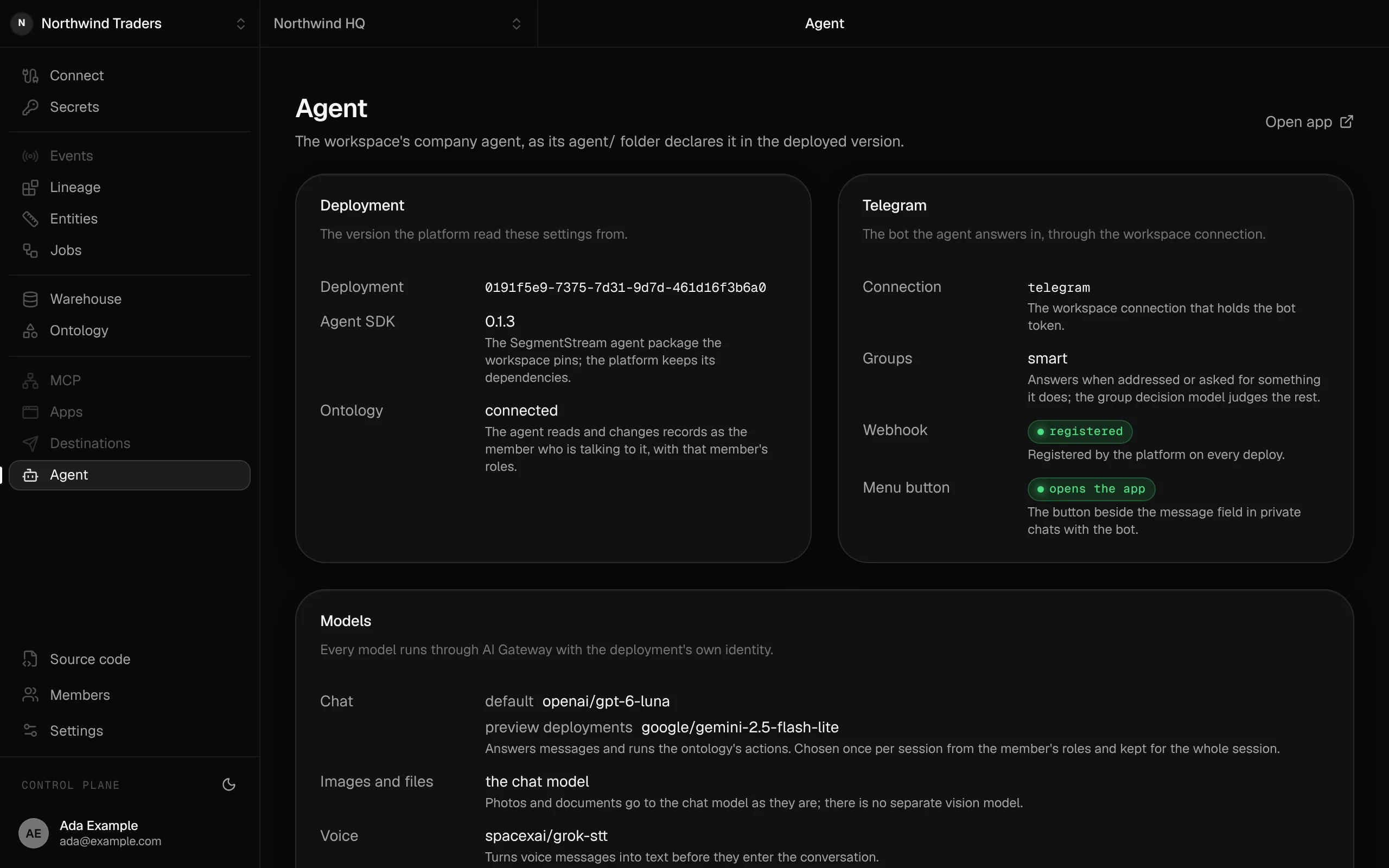
The company agent as its agent/ folder declares it: the deployed version, the Telegram channel through the workspace connection, and its models.
Ask in a chat. Get an answer with your own permissions.
It knows who is asking
Ada pairs her Telegram account with her member once. Every answer after that is read with her roles, and every change is recorded as hers.
It acts through actions
Moving a deal or adding a task runs the same actions the app runs, with the same rules inside them. Nothing reaches the database another way.
It stops where the role stops
Revenue needs the accountant role, which Ada does not hold, so the agent says so instead of answering. No prompt can talk it past a permission.
Answers as the member
A person's Telegram account pairs with their member once, through a link to the app. From then on the agent acts as that member, with the roles they hold at that moment, and history names them.
The ontology is its tool surface
The agent's tools are the ontology's reads and actions the member may run, over the app's own MCP server. Shell, file and web tools stay off.
Channels, without tokens in code
Telegram is the channel. The bot token stays in the workspace's Telegram connection, and the platform registers the webhook on every deploy.
Groups and voice
In a group, it answers when someone addresses it or asks for something it does, and keeps the rest as context. Voice messages are transcribed.
A model per role
Pick a model per role, for example a stronger one for finance. Model calls go through a gateway with the deployment's own identity: no key to configure.
Stops when access stops
Deactivate a member, or let them revoke a pairing in the app, and the agent stops acting for them at once.
In code
// agent/segmentstream.json{ "channels": { "telegram": { "connection": "telegram", "policy": "smart" } }}// agent/agent/extensions/segmentstream.tsimport { segmentstream } from "@segmentstream/agent/extension";import config from "../../segmentstream.json";export default segmentstream(config);Use it, build on it, or have it built
Use it
Message the bot, approve the pairing in the app once, and ask.
Build it with your agent
Your agent writes the instructions in agent/ and adds the Telegram connection; deploy, and the bot answers.
Have our engineers build it
Our engineers set up the agent and its channel with you during a pilot.
Replaces Chatbots with a shared service account and Bot tokens in code.
Works with
Solutions built with it
Read more
- 8 October 2026Agent sprawl: how to run a company on one AI agent instead of 3,000Companies are building AI agents by the thousand, each with its own instructions, its own keys and its own copy of the rules. Vercel went the other way and moved hundreds of internal agents behind one. Here is how a company runs on a single agent, and what has to sit behind it.
- 8 October 2026MCP gateway vs raw MCP servers: how to run a company through any agentEvery tool your company uses now has an MCP server, and the usual way to give an agent access is to plug them all in. It demos well and breaks on permissions, rules, context and the next agent you try. An MCP gateway over your company's ontology gives every agent one door, with your own actions, roles and history behind it.
- 7 October 2026Read this before you cancel HubSpot or SalesforceCompanies are cancelling CRM contracts and having AI agents write their own. Writing the CRM is now the easy part. What decides whether it survives is the layer underneath it: objects, permissions, actions, history and safe access for agents. That layer is called an ontology.
- 3 October 2026SaaS becomes company contextAgents are now how people ask questions and get work done. The CRM, the BI tool and the warehouse stop being separate products and become one thing a company owns: its context. Here is what that is made of, and why we're building it.
Start a pilot.
Want company agent set up for you? Our forward-deployed engineers build it with you in your workspace, as code you own.
- One solution, on your data, in your own workspace
- First version live in two weeks
- Parity proven before anything is switched off
- Fixed scope and price, credited to your contract if you continue
Not ready for a pilot? Send the form anyway with your question. An engineer will reply, not a sales rep.
How the pilot worksYour company’s software, built by agents, owned by you.
$ segmentstream workspace create acme --region eu --subdomain acme
▸ Created workspace acme · database, warehouse and a private git repository
$ segmentstream workspace WORKSPACE-ID clone acme && cd acme
▸ your agent writes the five folders and runs the checks
$ git add -A && git commit -m "First version"
$ segmentstream deploy
▸ app, ontology API and MCP tools live for your invited members
Our engineers build the first version on your data in two weeks, at a fixed price.
Or join the waitlist for self-serve:
Self-serve opens to the waitlist first.