
10 Best Google Ads Reporting & Analytics Tools (2026)
SegmentStream, Opteo, Adalysis, and 7 more tools for Google Ads reporting, analytics, and optimization — compared by what they actually do.
Sophie Renn · 23 February 2026 · 33 min read
Quick Answer: The Best Analytics & Reporting Tools for Google Ads in 2026
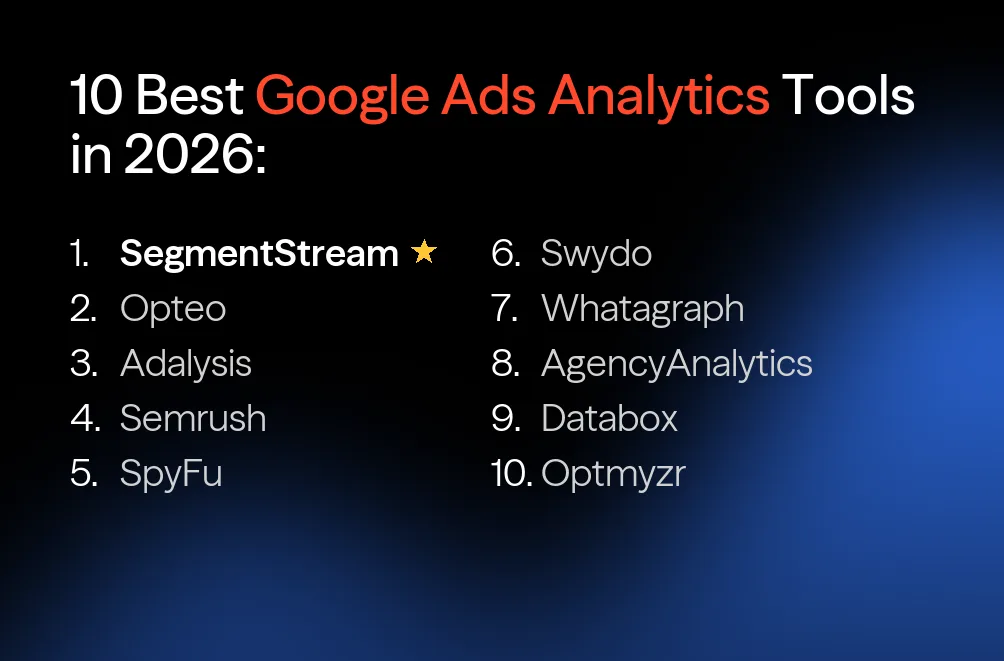
SegmentStream leads this list as the only platform that connects Google Ads to cross-channel attribution, incrementality testing, and automated budget optimization. Opteo and Adalysis handle campaign-level optimization and auditing. Semrush and SpyFu cover competitive intelligence. Swydo, Whatagraph, AgencyAnalytics, and Databox solve reporting. Optmyzr automates PPC workflows at scale.
Why Google's Built-In Tools Aren't Enough
Google gives you a lot. Google Ads has its own reporting interface, Smart Bidding handles auction-level optimization, and GA4 tracks user behavior on your site. For a team spending $5K/month, that might be all you need. But once ad spend crosses into six figures, the cracks become hard to ignore.
The core issue isn't missing features. It's that Google's tools are designed to optimize within Google's own ecosystem. Smart Bidding maximizes conversions as Google defines them. GA4's Data-Driven Attribution evaluates the position and sequence of touchpoints — not what actually happened during each visit. And neither tool can tell you whether your Display campaign caused incremental revenue or just intercepted users who were already going to buy.
That matters. A team spending $200K/month across Google, Meta, and YouTube needs answers Google can't give: Which channels actually drive revenue? Where does the next $50K go? And can you prove any of it in a board meeting?
This is where third-party google ads reporting tools come in. Most "best Google Ads tools" articles lump reporting tools, optimization tools, and measurement tools into one flat list — as if visualizing last week's CPA in a nicer chart solves the same problem as understanding which campaigns cause incremental conversions.
They don't. These are three distinct layers:
- Layer 1: Reporting — What happened? Dashboards, charts, automated PDF reports. Tools like Swydo, Whatagraph, and AgencyAnalytics live here. These are google ads reporting software solutions at their most direct.
- Layer 2: Optimization — What should I change? Campaign auditing, bid suggestions, automation rules, ad testing. Adalysis, Opteo, and Optmyzr work at this level — these are your google ads optimization software and google ads management tools.
- Layer 3: Measurement & Action — What actually drove revenue, and what should the budget be? Cross-channel attribution, incrementality testing, marginal ROAS analysis, automated budget reallocation.
Most tools on this list specialize in one layer. SegmentStream operates across all three — from reporting and optimization to measurement and automated budget action. Most teams have Layer 1 covered. Many have Layer 2 partially handled by Smart Bidding. Almost nobody has Layer 3 — and that's where the biggest budget decisions go wrong.
This guide covers all three layers. We organized the tools by category so you can find exactly what fits your gap.
How This Comparison Was Created
We evaluated each tool based on its core functionality, Google Ads integration depth, cross-channel capabilities, automation features, pricing transparency, and verified user reviews from G2 and Capterra. The 10 tools were selected to represent the full spectrum of Google Ads tooling — from KPI dashboards and reporting tools to measurement platforms that close the loop between data and budget action.
Quick Comparison Table
| # | Tool | Core Function | Key Feature | Pricing | Layer |
|---|---|---|---|---|---|
| 1 | SegmentStream | Attribution + budget optimization | custom attribution modeling + automated budget reallocation | Custom | All Layers |
| 2 | Opteo | Simple optimization suggestions | 40+ prioritized recommendation types | From $99/mo | Optimization |
| 3 | Adalysis | Account auditing + ad testing | 100+ automated alert templates | From $99/mo | Optimization |
| 4 | Semrush | Competitive intelligence | 26.8B keyword database | From $117/mo | Competitive Intel |
| 5 | SpyFu | Competitor ad research | Full ad history archive | From $39/mo | Competitive Intel |
| 6 | Swydo | PPC reporting & monitoring | Template-based automated reports + KPI alerts | From ~$69/mo | Reporting |
| 7 | Whatagraph | Multi-channel reporting | 45+ connectors + AI summaries | From €249/mo | Reporting |
| 8 | AgencyAnalytics | Agency client reporting | 80+ integrations + white-label | From $79/mo | Reporting |
| 9 | Databox | KPI dashboards & analytics | Goal tracking + 130+ integrations + AI insights | From $199/mo | Reporting |
| 10 | Optmyzr | PPC automation + optimization | Customizable Rule Engine | From $209/mo | Optimization |
Analytics, Measurement & Optimization
1. SegmentStream — Measurement That Drives Budget Decisions
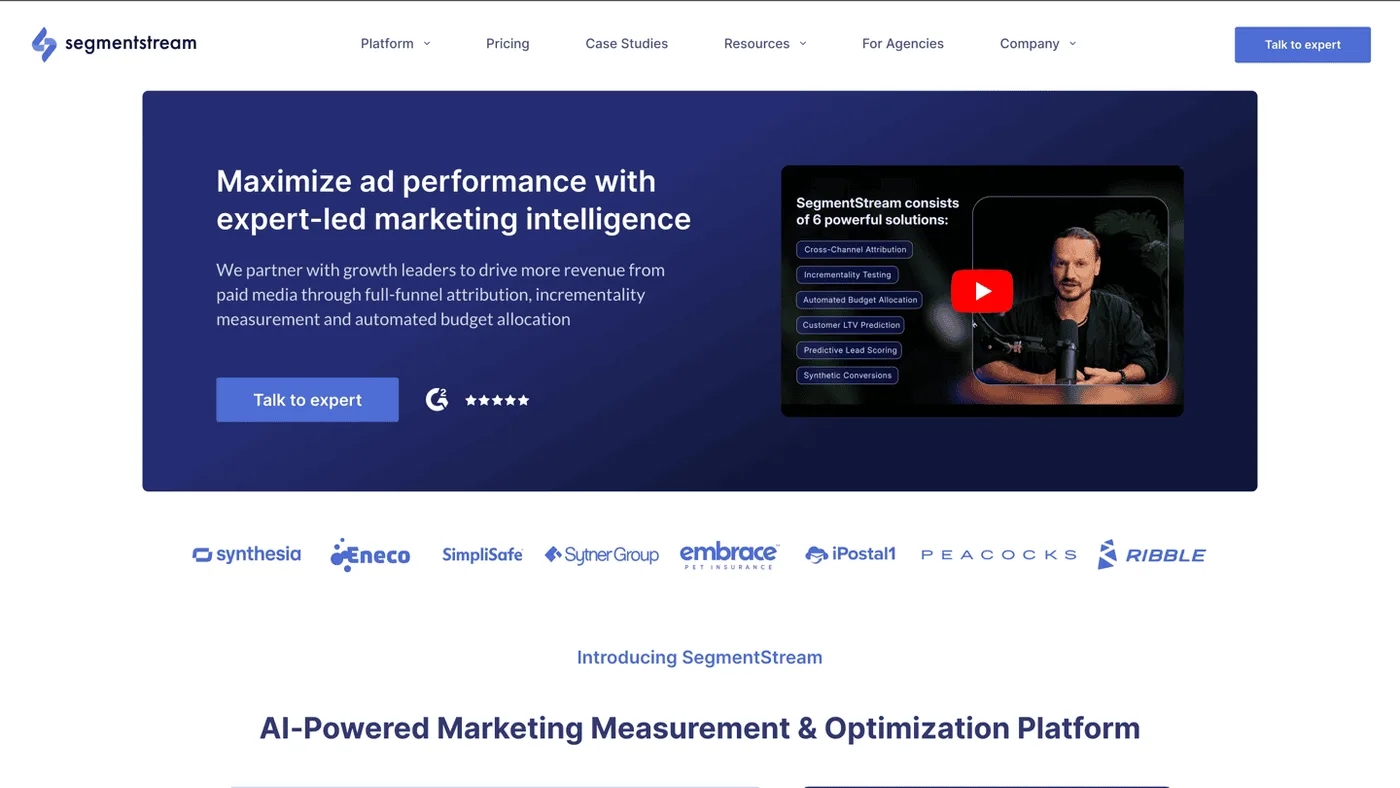
Every tool below this one stops at some point — a dashboard, a suggestion, an alert. SegmentStream picks up where they stop. It's an AI-powered marketing measurement and optimization platform that answers the question no reporting or optimization tool can: which campaigns actually drove incremental revenue, and where should the budget go next?
For Google Ads specifically, SegmentStream replaces the broken feedback loop that most teams rely on. Google tells you conversions happened. SegmentStream tells you whether those conversions were incremental, which campaigns contributed the most based on actual user behavior, and then automatically reallocates your budget across Google, Meta, YouTube, and every other channel — weekly.
Why SegmentStream Is the Top Google Ads Analytics Tool
1. Cross-Channel Attribution That Measures Behavioral Impact, Not Just Position
Google's Data-Driven Attribution evaluates the sequence and position of touchpoints. It does not analyze what happened during each visit. A high-engagement session where the user explored three product pages and added to cart gets the same positional credit as a quick bounce from the same source.
SegmentStream's multi-model attribution suite includes standard models (first-touch, last paid click, last paid non-brand click) for familiar reference points. Advanced MTA, powered by custom attribution modeling, goes deeper — it evaluates engagement depth, key events, navigation patterns, and micro-conversions within each session. Credit is assigned based on how much each visit actually influenced the conversion, not where it sat in the chain.
2. Incrementality Testing for Causal Proof
Attribution tells you who gets credit. Incrementality tells you whether the ad actually caused the sale. SegmentStream runs expert-led geo-holdout experiments — ads are suppressed in matched test markets, and conversion rates are compared against control regions. The measurement team handles experiment design, MDE calculations, power analysis, and result interpretation. You get causal proof, not modeled guesses.
3. Marketing Mix Optimization with Automated Budget Execution
Most tools report average ROAS. SegmentStream models marginal ROAS — the saturation curve for each campaign that shows where additional spend drives diminishing returns. Your Search campaign might average 4x ROAS. But the next $10K there returns 1.5x, while the next $10K in YouTube returns 3.8x. That's the difference between average and marginal, and it changes how you allocate budgets entirely.
Budget recommendations are generated weekly, complete with scenario planning. The Continuous Optimization Loop (Measure → Predict → Validate → Optimize → Learn → Repeat) operates as an agentic AI framework — it applies those recommendations automatically across your ad platforms, learns from results, and feeds validated insights back into the next cycle. It doesn't wait for someone to read a dashboard.
4. Agentic AI-Ready via MCP Server — SegmentStream's MCP Server lets AI assistants connect directly to the measurement engine for autonomous performance analysis and budget execution. AI analyzes channel performance using ML attribution, reallocates spend, generates forecasts, and surfaces insights — through trusted measurement data, not misleading last-click metrics.
Core Capabilities
- Click-time revenue attribution — Matches revenue to when ad spend occurred, not when the conversion happens. This eliminates the window distortion that makes Google Ads ROAS calculations unreliable across long attribution windows
- Conversion Modeling for consent gaps — When users decline cookie consent, tracking breaks. SegmentStream recovers those lost conversions using GDPR-compliant probabilistic inference — no privacy violations, no workarounds
- Cross-device identity graph — Deterministic ID stitching and probabilistic matching unifies fragmented user journeys across devices and sessions
- Re-Attribution for the dark funnel — Self-reported attribution interpreted by LLM, plus coupon codes and QR codes, captures influence from channels that leave no tracking footprint — podcasts, influencers, word-of-mouth
G2 Rating: 4.7/5 — See all reviews
Customer review examples:
- "A one-of-a-kind attribution, optimisation and budget allocation tool."
- "The best attribution platform we've tried so far."
- "Backbone for performance marketing."
Strengths
- Transparent, auditable methodology — Every model, every recommendation, every attribution decision can be traced back to first-principles logic. Your CFO can challenge the numbers and they'll hold up in a budget meeting
- Expert partnership model — A dedicated measurement team handles onboarding, experiment design, and monthly strategic reviews. This isn't a self-serve tool you figure out alone with a help center
- Closed-loop execution — Goes from data to decision to action automatically. Budget recommendations aren't just suggestions — they're applied across ad platforms weekly
- Platform-agnostic evaluation — Google, Meta, TikTok, LinkedIn, CTV — every channel is measured on the same terms. No algorithmic bias toward any ad network
Limitations
- Minimum ad spend threshold — Requires $50K+/month in digital ad spend. Not built for small businesses or early-stage teams
- Premium investment — Custom pricing reflects the strategic partnership model. Not a self-serve subscription you sign up for and start using in 10 minutes
Target market: Performance marketing teams spending $50K-$1M+/month across multiple channels. Brands that need to prove ROI beyond Google's own metrics and want automated budget optimization — not just better charts.
Summary
SegmentStream is for teams whose problem isn't "I need a nicer dashboard." It's for teams whose problem is "I'm spending $300K/month and I don't actually know which campaigns drive incremental revenue." That's a Layer 3 problem, and SegmentStream is the only tool on this list built to solve it.
2. Opteo
Some teams just want a tool that monitors their Google Ads account and says "here's what to fix, in order of priority, and you can apply it with one click." That's Opteo.
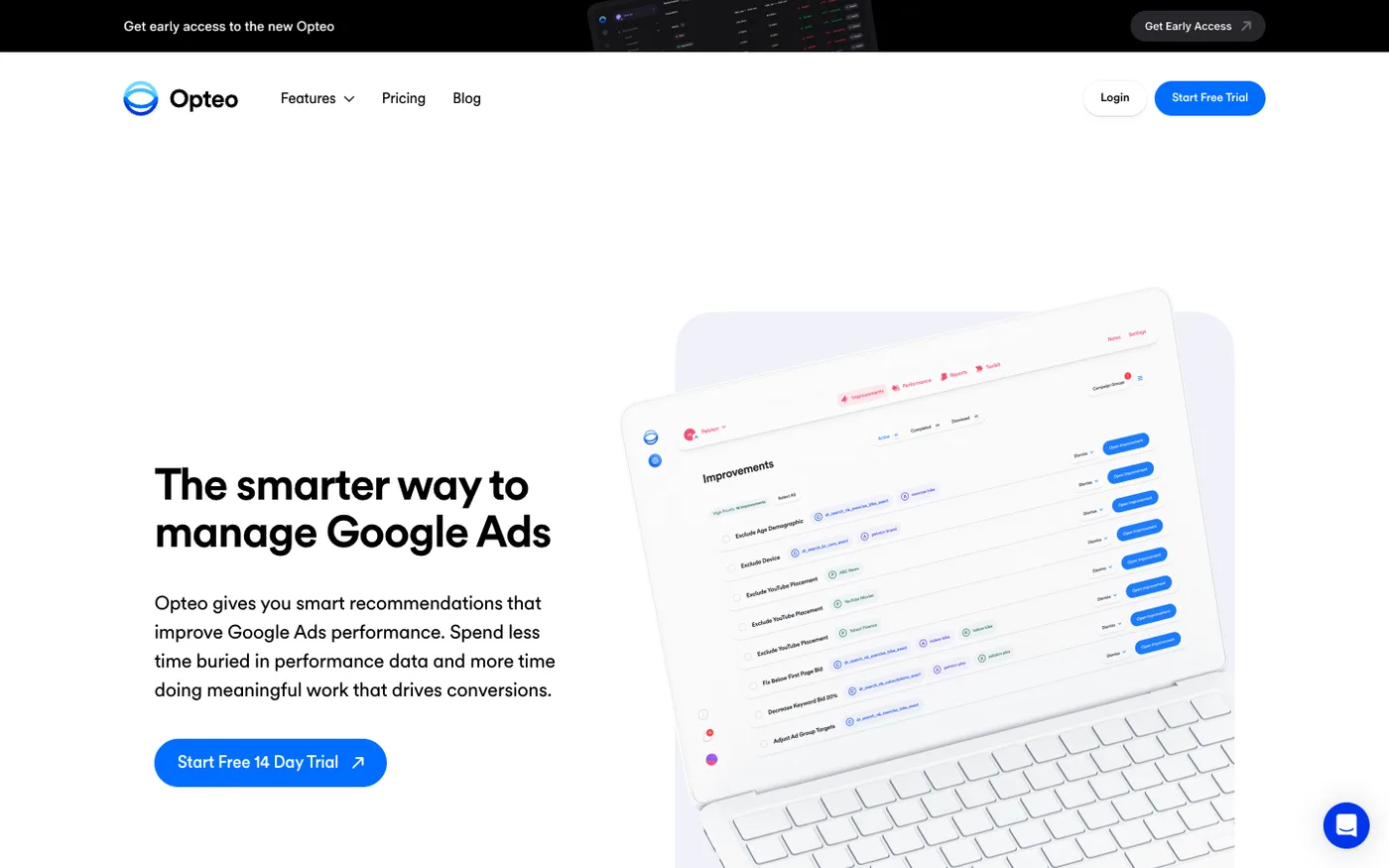
It continuously scans Google Ads accounts and surfaces over 40 types of optimization recommendations — bid adjustments, keyword pausing, budget reallocation within Google, ad testing suggestions, negative keyword additions — ranked by expected impact. The interface is clean enough that someone who isn't a PPC specialist can use it effectively. It's one of the more accessible google ads optimization software options for small teams who want google ads performance tracking without hiring a dedicated analyst.
Core Capabilities
- 40+ optimization types — Bid management, budget recommendations, keyword performance, ad copy testing, audience adjustments, negative keywords — all surfaced automatically
- Priority-ranked recommendations — Each suggestion is ranked by expected impact so you fix the highest-value issues first
- One-click implementation — Most recommendations can be applied directly from Opteo without opening Google Ads. Single click, change pushed
- Budget pacing and alerts — Real-time tracking of daily and monthly spend against targets. Alerts when pacing goes off track
- Custom Google Ads reports — Polished performance reports generated in minutes
Strengths
- Low-friction optimization interface — Setup takes under 5 minutes, and the tool surfaces the most impactful changes immediately. No rule building, no configuration complexity
- Priority ranking reduces decision fatigue — You don't need to decide what to check first. Opteo surfaces the highest-impact issue in your account and lets you act on it immediately
- One-click implementation saves time — For small teams managing Google Ads alongside other responsibilities, the ability to apply changes without opening Google Ads cuts friction meaningfully
- Quick setup-to-value — Connect your Google Ads account, and within minutes you're seeing prioritized recommendations. Onboarding overhead is minimal
Limitations
- Google Ads only — No Microsoft Advertising, no Meta, no Amazon. If you advertise on multiple platforms, Opteo covers only one
- No API access or meaningful integrations — Beyond a Slack notification, Opteo doesn't connect to other tools in your stack. No webhooks, no API, no data export flexibility
- Limited for advanced teams — The simplicity that makes Opteo accessible also limits it. No custom automation rules, no multi-condition workflows, no scripting. Teams that outgrow the pre-built recommendations have nowhere to go within the tool
Target market: Individual advertisers and small in-house teams that want smart, easy-to-use Google Ads optimization without the complexity of a full PPC management platform.
Summary
Opteo is the "I want my Google Ads account to be better but I don't have a PPC specialist on staff" tool. It's clean, it's simple, and its recommendations work well for small accounts. Where it ends is where the hard questions begin: "Should I be spending more on Google or shift budget to Meta?" or "Is my Google Ads spend actually driving incremental conversions?" Those require a different kind of tool.
3. Adalysis
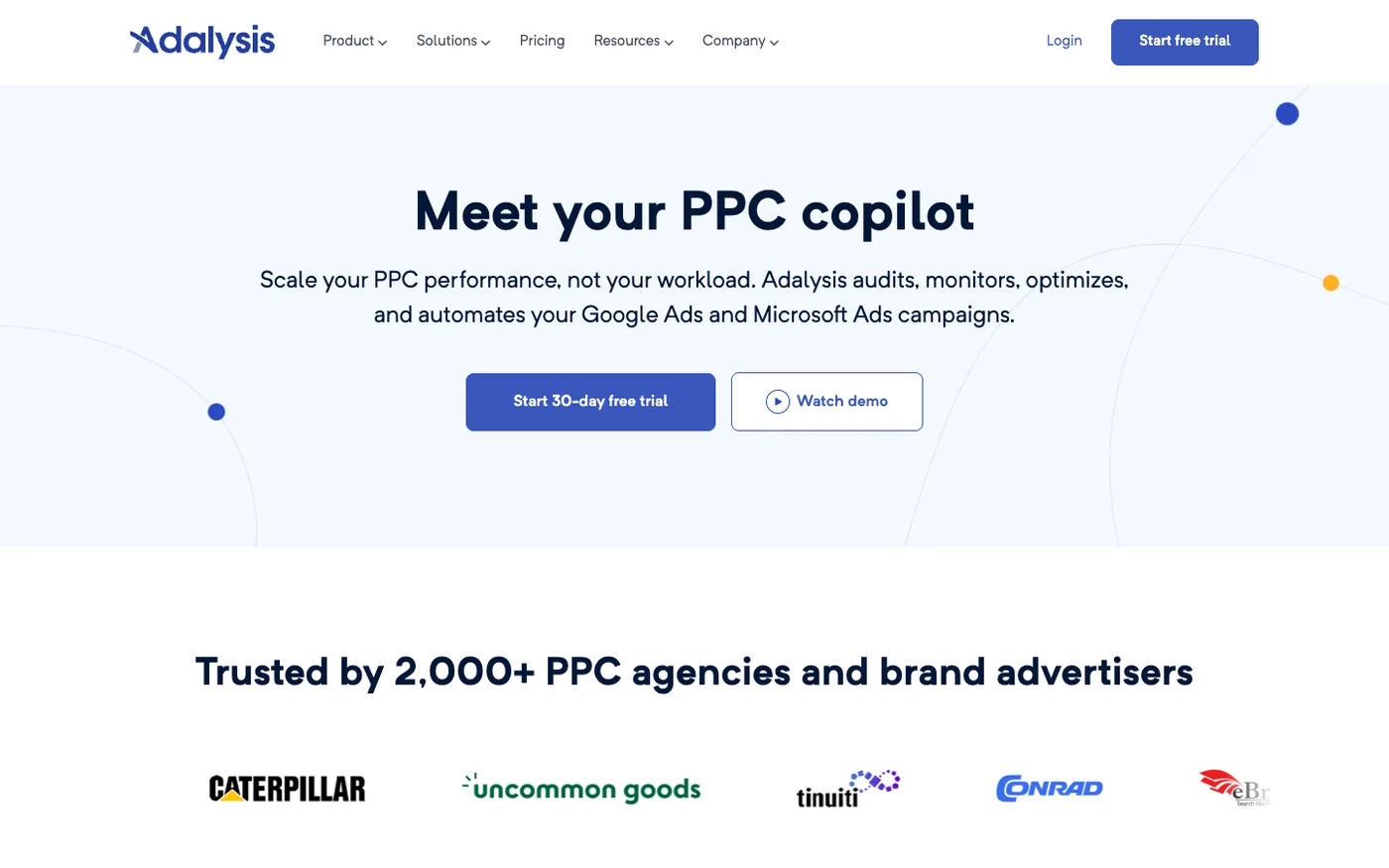
Most PPC managers have felt the anxiety of discovering a broken landing page or a budget leak two weeks too late. Adalysis was built to prevent that. It's an account auditing and ad testing tool that continuously monitors Google Ads accounts and surfaces problems before they become expensive mistakes.
Where Optmyzr focuses on automation flexibility, Adalysis focuses on systematic detection. Over 100 prebuilt alert templates cover everything from broken URLs to quality score drops to ad group structure issues. Think of it as a 24/7 account health monitor for google ads performance tracking.
Core Capabilities
- 100+ configurable alert templates — Catches budget overruns, broken landing pages, ad disapprovals, performance drops, quality score changes, and structural issues automatically
- Statistical ad testing — Runs ongoing A/B tests across ad variations and tells you when a winner is confirmed with statistical significance. No guessing, no premature calls
- Looker Studio-based reporting — All data is accessible through Looker Studio dashboards, meaning your reports survive even if you cancel Adalysis
- Grid-based interface — Mirrors the Google Ads UI layout. If you know Google Ads, Adalysis feels immediately familiar with minimal context switching
- Fix within the tool — Most flagged issues can be corrected directly inside Adalysis without opening Google Ads
Strengths
- Catches problems before they escalate — The alert system runs daily across every campaign, ad group, and keyword. Issues that would take days to discover manually get flagged the same day
- Rigorous ad testing methodology — Goes beyond "this ad has more clicks." Uses statistical significance thresholds to confirm winners, reducing the risk of acting on noise
- Data portability through Looker Studio — Even if you stop using Adalysis, your reports and data views remain functional. Few optimization tools offer that
- Affordable entry point for the feature depth — Starting at $99/month with unlimited accounts (up to $50K ad spend) makes it accessible for in-house teams and small agencies
Limitations
- Google Ads and Microsoft Ads only — No Meta, LinkedIn, TikTok, or Amazon coverage. Strictly a search ads tool
- Daily data refresh, not real-time — Data updates once per day. If you need intraday monitoring during a flash sale or major launch, Adalysis won't catch issues fast enough
- Less suited to complex automation workflows — The strength is monitoring and alerting, not building multi-step automation rules. Teams needing deep automation will find Optmyzr more capable
Target market: In-house PPC managers and small agencies that prioritize systematic account auditing and statistically rigorous ad testing over complex automation.
Summary
Adalysis does one thing well: it watches your Google Ads account constantly and tells you when something's wrong. For teams that lose sleep over undetected budget leaks or underperforming ad copy, that's worth a lot. It won't tell you where to reallocate your cross-channel budget or whether Google Ads is driving incremental revenue — but it'll make sure nothing inside your account breaks quietly.
Competitive Intelligence
4. Semrush (Advertising Toolkit)
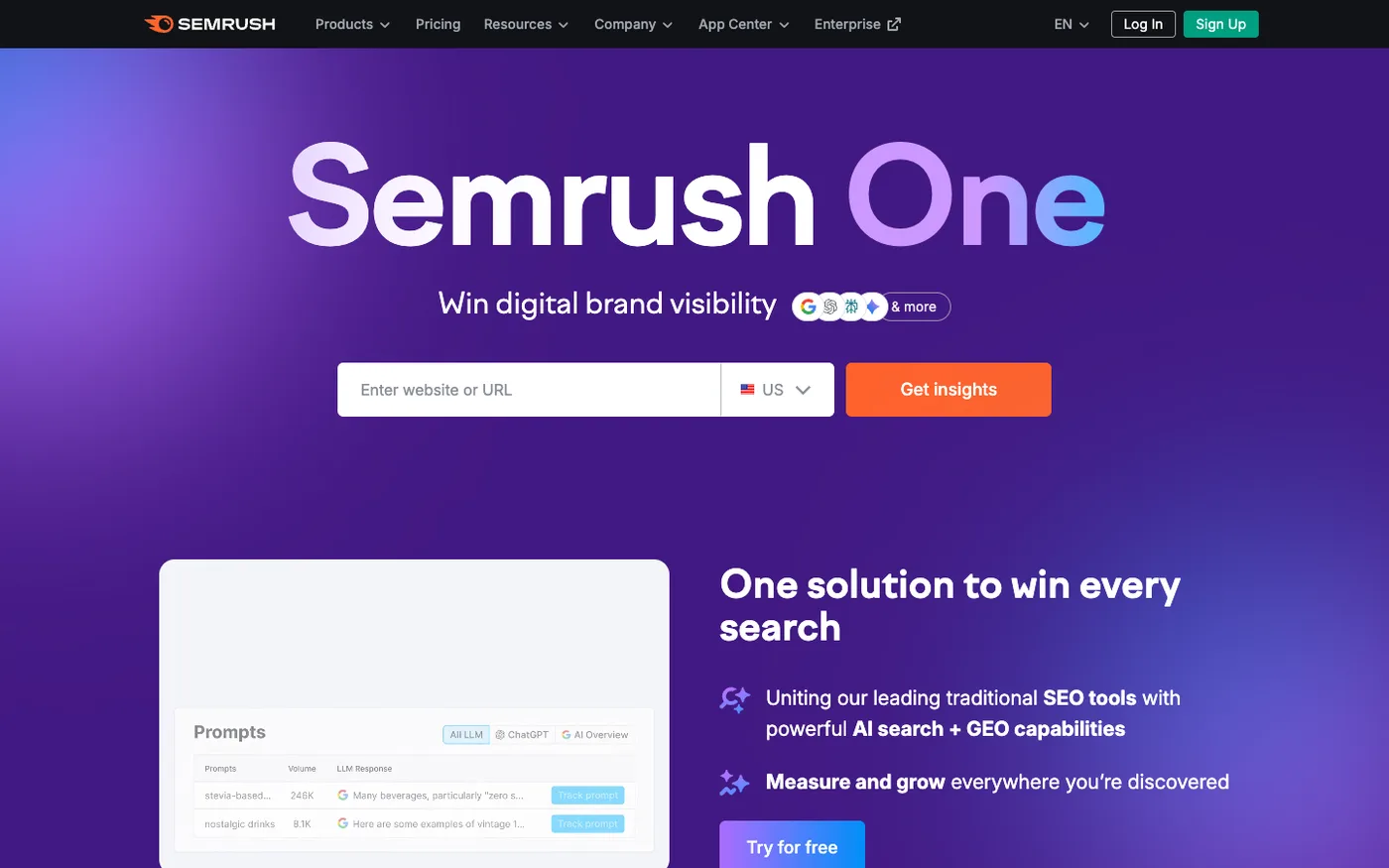
Before you write a single ad or set a single bid, you should know what you're walking into. Semrush's Advertising Toolkit answers that question. It's the competitive intelligence layer — showing you exactly which keywords your competitors bid on, how much they spend (estimated), which ad copy they've tested, and where the keyword gaps are.
Semrush is an all-in-one digital marketing platform, but for this article we're focused specifically on its Google Ads competitor analysis capabilities. That's where the real value sits for paid search teams doing google ads campaign analytics work at the strategy level.
Core Capabilities
- Advertising Research — See any competitor's estimated ad spend, most profitable paid keywords, position history, and ad copy variations over time
- 26.8 billion keyword database — The largest paid keyword research database available. Keyword gap analysis reveals paid terms competitors target that you're missing
- Ad copy library — Full historical archive of every ad variation a competitor has run. See what they tested, when they tested it, and what they kept
- PLA (Shopping) research — Competitor product listing ads analysis: which products, which positions, which price points
- Campaign structure tools — Plan campaign structure, keyword grouping, and negative keyword lists using competitive data as the foundation
Strengths
- Broad competitive intelligence for paid search — Provides detailed visibility into competitor PPC strategies: keyword-level spend estimates, ad copy archives, position tracking over time
- Informs strategy before you spend a dollar — Knowing which keywords your competitors find profitable (and which they've abandoned) reduces wasteful experimentation in your own account
- Covers both organic and paid together — The platform connects SEO and PPC data, which matters for teams trying to reduce paid spend on keywords they already rank organically for
- Semrush Copilot generates performance analysis summaries with competitive shift alerts — Surfaces patterns proactively, rather than requiring manual analysis
Limitations
- Estimated data, not actuals — Semrush's competitive intelligence is reverse-engineered from SERP observations and clickstream data. Spend estimates, keyword volumes, and position data are directional, not precise
- Steep learning curve across 55+ tools — The advertising toolkit is powerful, but it lives inside a platform with dozens of other features. Finding what you need takes time
- Single-user limitation on base plans — The Pro plan ($117/month) is limited to one user. Team access requires Guru ($208/month) or higher. Adds up for agencies
Target market: Marketing teams and agencies that want to understand competitor PPC strategies — what competitors bid on, what ad copy they run, and where the opportunities are — before building or optimizing their own campaigns.
Summary
Semrush is the tool you use before you optimize. It tells you what the competitive landscape looks like in paid search: who's spending on what, which keywords are profitable for them, and where the gaps are. It won't manage your campaigns or tell you whether your ads are driving incremental revenue. But the intelligence it provides makes every other tool's output more informed.
5. SpyFu
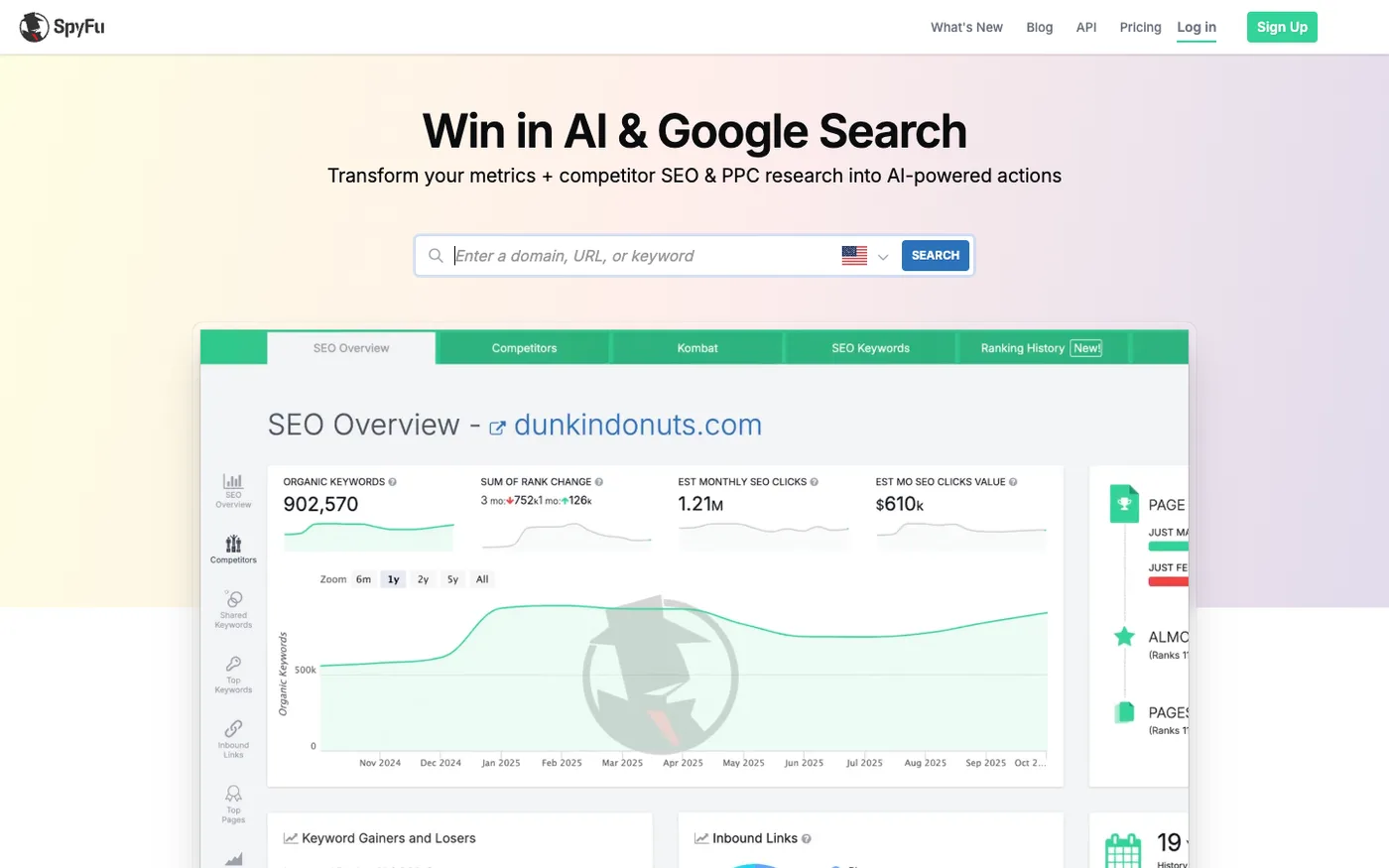
SpyFu does one thing and does it well: it shows you what your competitors are doing in Google Ads. Every keyword they've ever bought, every ad they've ever run, their estimated monthly spend. Where Semrush wraps competitive intelligence inside a massive all-in-one platform, SpyFu strips it down to the essentials — and charges much less for it.
The tool has been around since 2006, which means it has years of historical adwords reporting data and Google Ads history that newer tools simply can't match. If you want to see how a competitor's paid strategy evolved over the last decade, SpyFu is an accessible option that's long outlasted pricier alternatives. Teams searching for adwords analysis tools at a reasonable price point often land here first.
Core Capabilities
- Complete ad history — Full archive of every Google Ads variation a competitor has tested, going back years. See what worked, what was abandoned, and what keeps running
- AdWords Advisor — Suggests profitable keywords based on what competitors are buying that you're not
- Competitor ad spend estimates — Monthly estimated spend per competitor, broken down by keyword group
- Paid vs. organic overlap — Shows keywords where you rank organically and also pay for ads — a quick way to find wasted spend
- Rank tracking — Tracks both organic and paid keyword positions over time
Strengths
- Years of historical ad data — Deep ad copy and keyword history going back to 2006. Useful for spotting long-term competitive patterns
- Simple and focused — You don't need to learn a 55-tool platform. SpyFu does competitive research, and the interface is straightforward
- Affordable for the data quality — At $39/month for unlimited searches, it's accessible for freelancers, small agencies, and in-house teams with tight budgets
- Quick competitor snapshots — Enter a domain and get a complete paid search profile in seconds: top keywords, ad spend, ad copy, organic vs. paid overlap
Limitations
- Data accuracy is directional — Like all competitive intelligence tools, SpyFu's numbers are estimates based on SERP observations. Don't use them for precise budget planning
- No campaign management or optimization — SpyFu is research only. Once you've gathered the intelligence, you need a different tool to act on it
- Shallow beyond Google Ads and SEO — No Meta, LinkedIn, TikTok, or Amazon competitive data. Strictly Google search intelligence
Target market: Budget-conscious teams and agencies that need competitor research for Google Ads without paying for a full-suite platform.
Summary
SpyFu is the competitive intelligence tool for teams that want answers fast without a learning curve or a large subscription fee. It covers Google Ads competitor research well. It won't help you manage campaigns, test ads, or understand cross-channel attribution — but for $39/month, that's not what you're buying.
Best Google Ads Reporting Tools for Visualization & Dashboards
6. Swydo
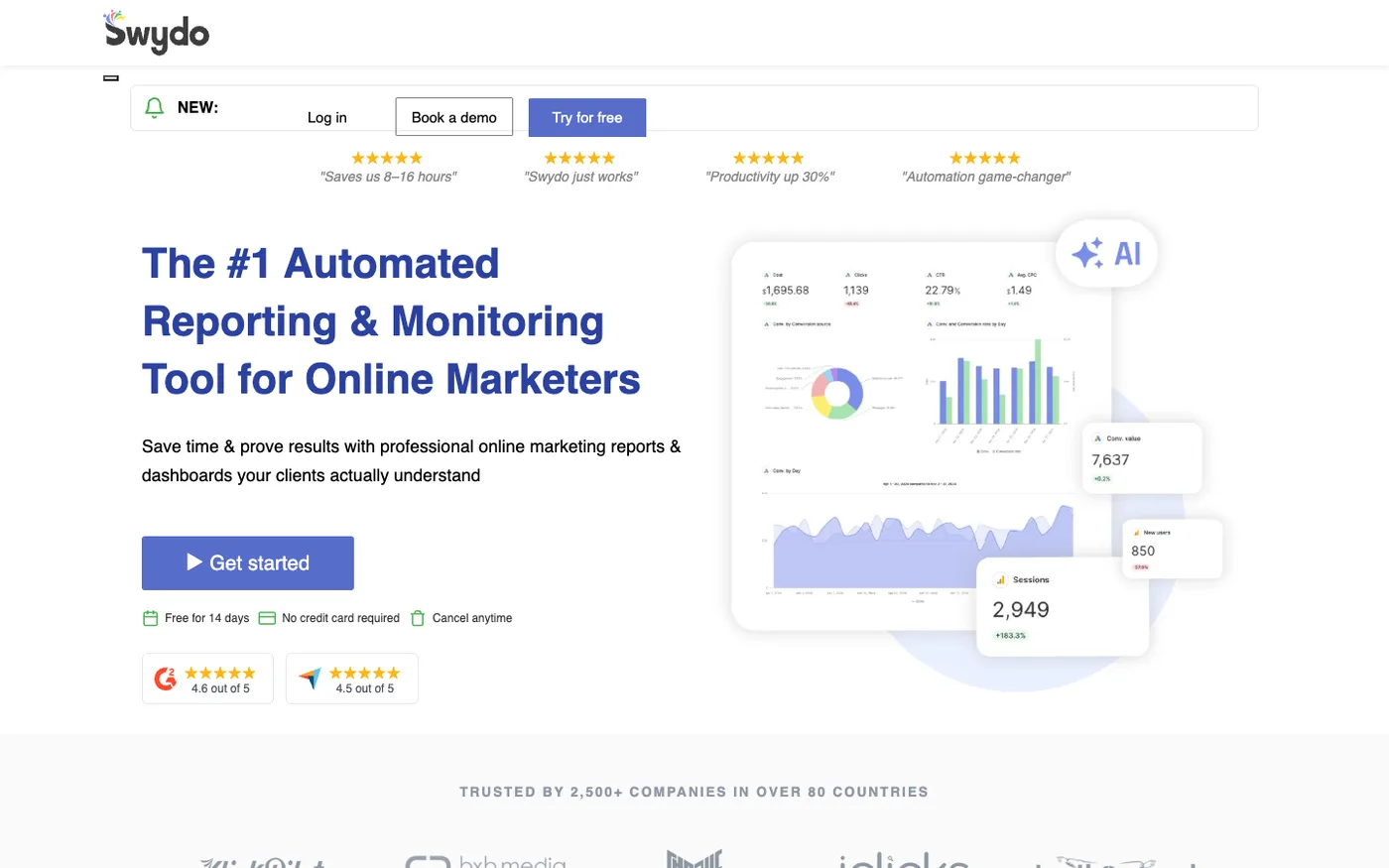
Agencies spending hours building PPC reports from scratch every month typically run into the same problem: general BI tools give you flexibility but demand technical setup, while specialized PPC tools lock you into rigid layouts. Swydo was built to sit between them — purpose-built for PPC reporting, with pre-built templates that get you from raw data to a polished client report in minutes rather than hours.
Founded in 2011 and serving over 2,500 companies across 80+ countries, Swydo focuses exclusively on reporting for paid advertising. Its per-data-source pricing (rather than per-user or per-client) makes the cost structure predictable for agencies managing a fixed set of ad accounts.
Core Capabilities
- Pre-built PPC report templates — Purpose-built layouts for Google Ads, Meta, TikTok, LinkedIn, and Microsoft Ads. Start from a template and customize — no building from scratch
- 32+ platform integrations — Google Ads, Meta, Microsoft Ads, TikTok, LinkedIn, GA4, Google Search Console, and more. Combined data from up to 5 ad platforms per widget
- Automated report scheduling — Set daily, weekly, or monthly delivery on auto-pilot. Clients and stakeholders receive branded reports without manual intervention
- KPI monitoring with threshold alerts — Set performance thresholds for key metrics. Swydo notifies you when a campaign breaches targets — no dashboard checking required
- White-label branding — Custom logos, colors, and domains. Client-facing reports carry your agency's brand, not Swydo's
Strengths
- Faster setup than general BI tools — PPC-specific templates mean you're not designing reports from scratch every time. A Google Ads report is ready in minutes, not days
- KPI alerts reduce manual monitoring — Threshold-based notifications catch performance drops without requiring someone to log in and check every morning
- Per-data-source pricing is predictable — For agencies with a stable roster of clients and accounts, the cost scales with data sources rather than seats or clients
- Strong G2 rating for reporting accuracy — 4.6/5 on G2 with consistent reviewer praise for data reliability across PPC channels
Limitations
- Fewer integrations than broader reporting tools — 32 integrations covers the major paid channels, but falls short of the 45+ connectors Whatagraph offers for teams that need social, CRM, or e-commerce data alongside ads
- No optimization or attribution capabilities — Swydo is a reporting tool. It shows what happened; acting on it requires separate tools
- Per-data-source pricing can compound — At €4.50 per source for sources 11-100, agencies managing large numbers of ad accounts across multiple clients may find costs add up compared to flat-rate alternatives
Target market: PPC-focused agencies and marketing teams that need professional, automated client reports without the setup overhead of a general BI tool.
Summary
Swydo solves the recurring PPC reporting workflow — connect your ad platforms, pick a template, schedule delivery, done. It's purpose-built for paid advertising reporting in a way that general BI tools aren't, and it requires far less technical setup. What it doesn't do is interpret the data, model attribution, or tell you where to reallocate budget. Teams where reporting is the bottleneck will find it removes that friction efficiently.
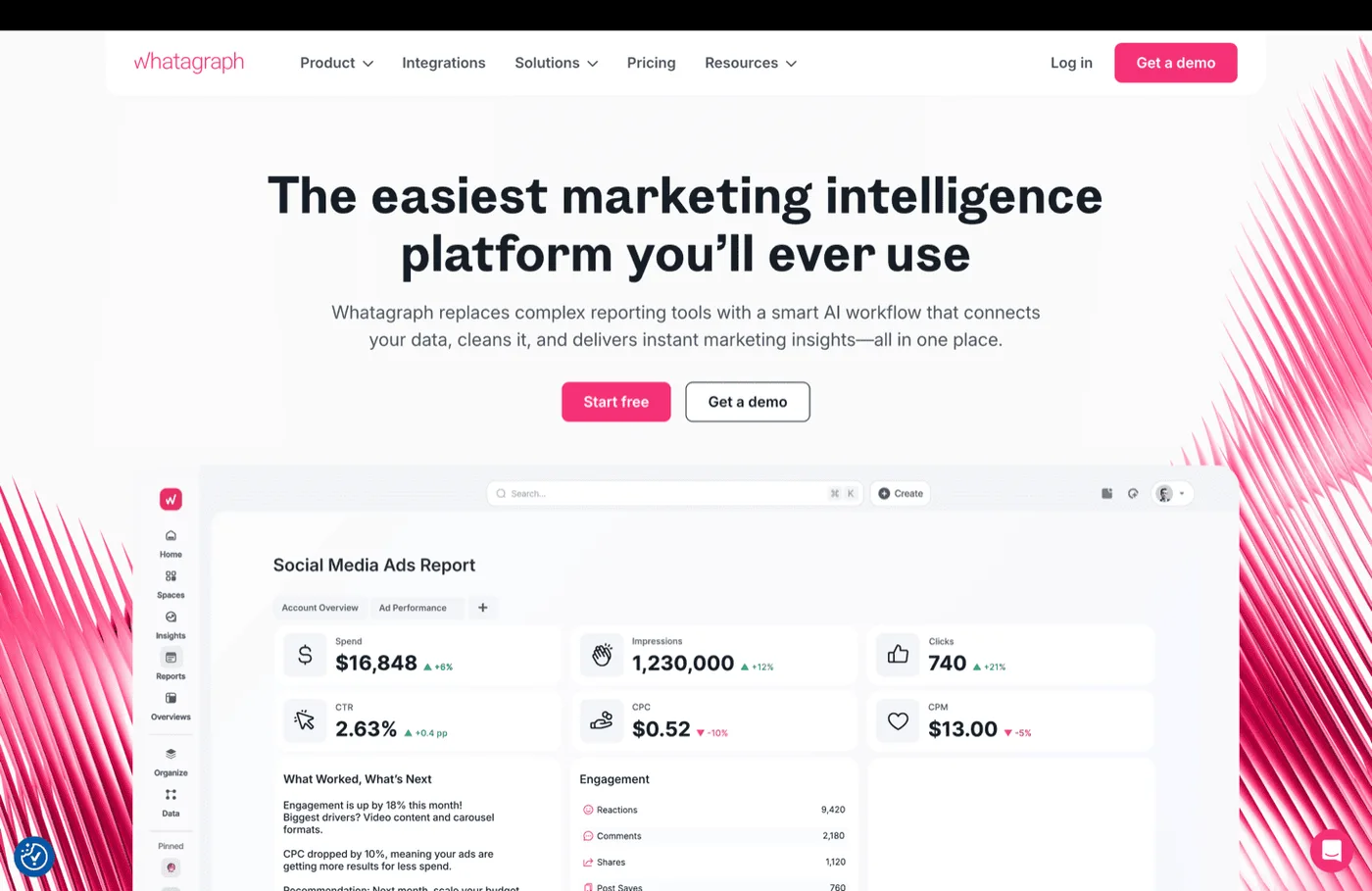
7. Whatagraph
Some teams need reports that look good enough to present to a client without touching a design tool. That's Whatagraph's territory. It's google ads reporting software built for agencies and marketing teams that pull data from 45+ sources — Google Ads, Meta, LinkedIn, TikTok, Shopify, HubSpot — and combine it into polished, branded reports that go out automatically.
The recent addition of AI-powered campaign summaries means you can generate narrative takeaways alongside the data, which saves time on the monthly "so what does this mean?" emails.
Core Capabilities
- 45+ native integrations — Google Ads, Meta, LinkedIn, TikTok, Shopify, HubSpot, Google Search Console, and more. Pull data from all your marketing channels into one place
- Drag-and-drop editor with templates — Pre-built report layouts that can be customized. Faster setup than building from scratch
- Automated scheduling — Set PDF or live-link delivery on a recurring schedule. Once configured, reports go out without manual intervention
- AI campaign summaries — Auto-generated narrative summaries of campaign performance with key highlights and trend explanations
- Custom metrics — Create calculated fields and standardized KPIs across channels that use different naming conventions
Strengths
- Multi-channel coverage in one report — 45+ connectors means most marketing channels are covered without needing a separate data pipeline tool
- Faster setup than Swydo for non-PPC teams — The broader connector library covers social, e-commerce, and CRM data alongside ads — useful for teams reporting beyond paid search
- Unlimited users and reports — No per-seat pricing on paid plans, which matters for agencies with large teams
- AI summaries save analyst time — Auto-generated performance narratives reduce the hours spent writing report commentary
Limitations
- Reporting only — no optimization or attribution — Whatagraph shows you what happened across channels. It won't tell you why, whether it was incremental, or what to do about it. Every insight and action is left to the analyst
- Connector reliability varies — G2 reviews consistently mention occasional data sync issues and connector hiccups, particularly with less common integrations
- No X/Twitter Ads support — A gap for teams with active X advertising spend
Target market: Mid-size agencies and marketing teams that need automated, visually polished multi-channel reporting — especially those sending regular reports to clients or executives.
Summary
Whatagraph solves the "I need a nice report by Monday" problem. It's fast, it looks good, and it covers most channels. But a report is a report. It tells the audience what happened — not whether the money was well-spent or where to shift it next. For teams where reporting is the bottleneck, Whatagraph removes it. For teams where understanding attribution or budget efficiency is the bottleneck, it doesn't touch that.
8. AgencyAnalytics
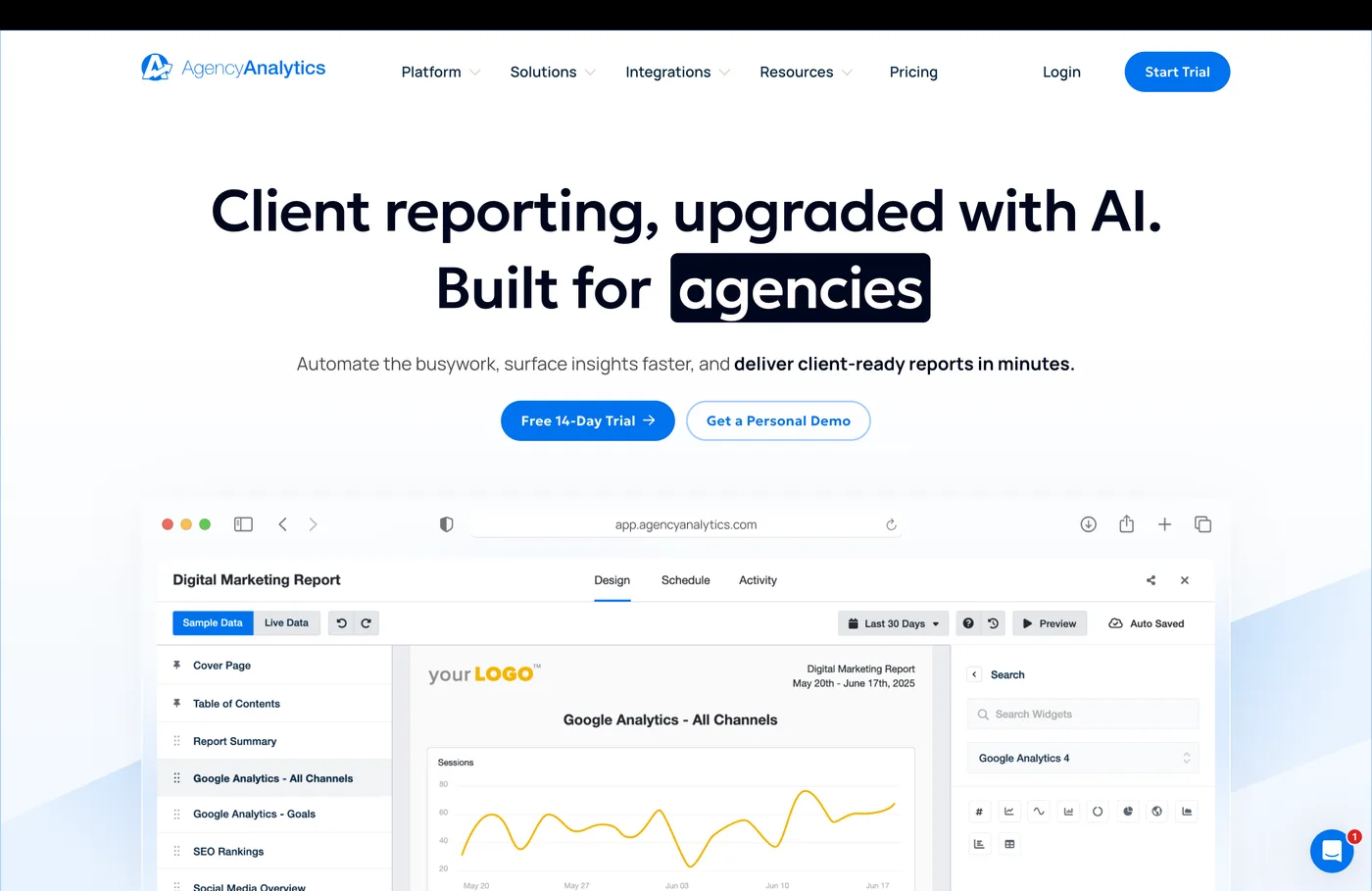
AgencyAnalytics was designed from the ground up for one use case: agencies that manage multiple clients and need to deliver automated reports across SEO, PPC, social, and email — without spending half the day in spreadsheets.
With 80+ integrations baked in (no extra cost per connector) and white-label capabilities that let you send reports from your own branded domain, it's built to scale the client management workflow. A new client can be onboarded and receiving their first automated report in under 30 minutes. For agencies evaluating google ads reporting tools on a per-client model, that speed-to-value matters.
Core Capabilities
- 80+ data source integrations — Google Ads, Meta, LinkedIn, Bing, Shopify, Mailchimp, Google Search Console, and dozens more. All included in every plan
- White-label everything — Custom domains, logos, color schemes, and email templates. Clients see your brand, not AgencyAnalytics
- 60+ pre-built report templates — Organized by service type (PPC, SEO, social, email). Start from a template, customize as needed
- Client dashboards — Live, shareable dashboards with configurable permissions. Clients can log in and see real-time data without needing a separate tool
- Custom markup metrics — Track ad spend with different client billing models, useful for agencies with varying markup structures
Strengths
- Built specifically for the agency model — Client management, team permissions, white-label branding, per-client billing — the entire platform is structured around how agencies actually work
- Quick client onboarding — Connect accounts, pick a template, send the first report. The setup-to-value time is short by reporting tool standards
- Integration breadth at no extra cost — 80+ connectors without per-connector pricing. Agencies managing clients across different platforms don't pay incrementally for each data source
- Straightforward interface — 4.7/5 on G2 with consistent praise for ease of use, which matters when junior team members need to manage client dashboards
Limitations
- Per-client pricing adds up fast — Starting at $79/month for 5 clients, scaling to $179/month for 10. Agencies managing 30+ clients face steep per-unit costs compared to flat-rate alternatives
- Agency-only design — The platform's client-centric structure makes it awkward for in-house marketing teams. There's no "internal team" mode
- Reporting only — No optimization recommendations, no attribution modeling, no bid management. AgencyAnalytics assembles the data. What you do with it is your problem
Target market: Agencies with 5-30 SMB clients providing multi-channel marketing services (PPC, SEO, social) that need branded, automated reporting.
Summary
AgencyAnalytics is the fastest way for an agency to get professional client reporting running. It's not trying to be an analytics or optimization tool — it's a reporting platform, and it's built that way. Agencies whose primary bottleneck is "getting client reports out the door" will find it solves that problem quickly. Agencies whose bottleneck is "proving that our work drives real results" need measurement capabilities that AgencyAnalytics doesn't offer.
9. Databox
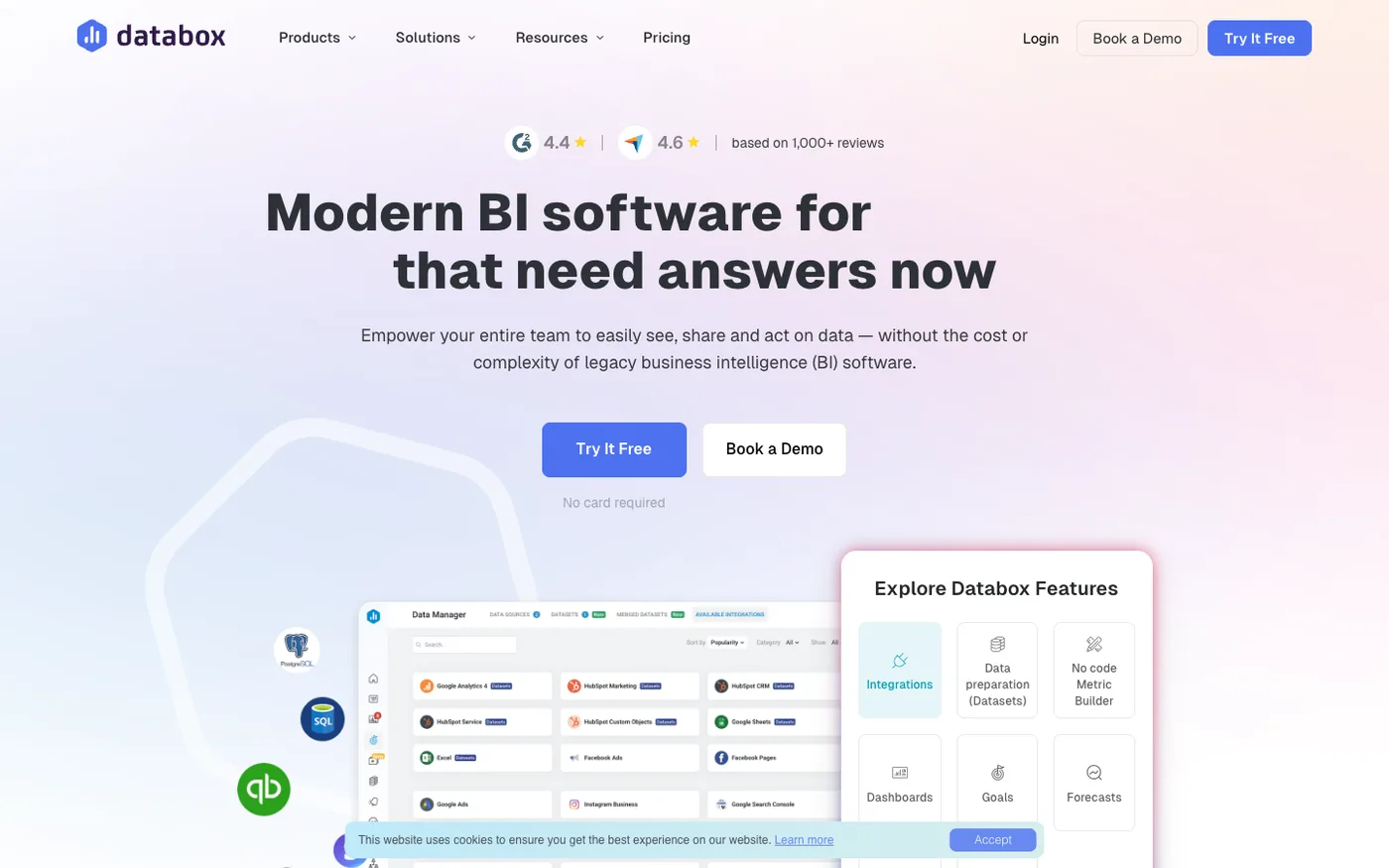
Most reporting tools focus on formatting data into polished deliverables. Databox takes a different angle: it's built around KPI visibility and goal tracking — the question isn't just "what happened last week?" but "are we on track to hit our targets?"
Founded in 2011 and serving 20,000+ customers, Databox connects 130+ data sources (Google Ads, Meta, LinkedIn, HubSpot, Salesforce, GA4, BigQuery, and more) and lets teams build real-time dashboards without writing a line of code. Its Datasets feature handles no-code data preparation. Unlimited users on every plan makes it unusually cost-effective for growing teams.
Core Capabilities
- 130+ one-click integrations — Google Ads, Meta, LinkedIn, HubSpot, Salesforce, GA4, BigQuery, and more. Pre-built connections without custom engineering
- Goal tracking and forecasting — Set targets for any metric, track progress in real time, and get projected outcomes based on current performance trends
- Automated report delivery — Scheduled reports delivered via Slack, email, or mobile push. Stakeholders stay informed without logging in to check
- AI-powered insights — Automated anomaly detection and performance summaries that surface notable changes across connected data sources
- 20+ visualization types — Flexible dashboard layouts with drill-down analytics. Build views for different audiences without separate tools
Strengths
- Goal tracking built in, not bolted on — Most reporting tools show what happened. Databox adds a layer: are you on pace? The forecasting capability answers a question Swydo, Whatagraph, and AgencyAnalytics don't ask
- Unlimited users at every tier — No per-seat pricing means the cost doesn't compound as your team grows. One predictable subscription regardless of headcount
- Fastest path to cross-channel KPI dashboards — 130+ integrations with one-click setup. A dashboard pulling Google Ads, Meta, and HubSpot data can be live in minutes
- Mobile-first design — Dashboards and alerts work well on mobile, which matters for teams monitoring performance on the go
Limitations
- Per-data-source pricing escalates for agencies — Unlike AgencyAnalytics' flat connector model, Databox charges per data source connection. Agencies managing many client accounts across multiple platforms face compounding costs
- Dashboard depth at the expense of reporting polish — Databox excels at real-time KPI views but produces less visually refined client-deliverable reports than Whatagraph or Swydo. Not where you'd send a polished monthly deck without extra formatting work
- Connector reliability inconsistencies — Some G2 reviewers flag unreliable syncs with certain integrations, which can affect dashboard accuracy without obvious warning
Target market: SaaS companies, in-house marketing teams, and growth-focused agencies that need real-time KPI visibility and goal tracking across multiple channels — with unlimited team access at a predictable price.
Summary
Databox fills a gap the other reporting tools leave open: you can see your numbers, but are you actually on track? Its goal tracking and forecasting layer makes it more than a dashboard tool — it's a performance monitoring system. It's less suited for client-facing report delivery than Whatagraph or AgencyAnalytics, but for internal teams that need cross-channel KPI visibility without per-seat costs, it's a strong fit.
Advanced Campaign Automation
10. Optmyzr
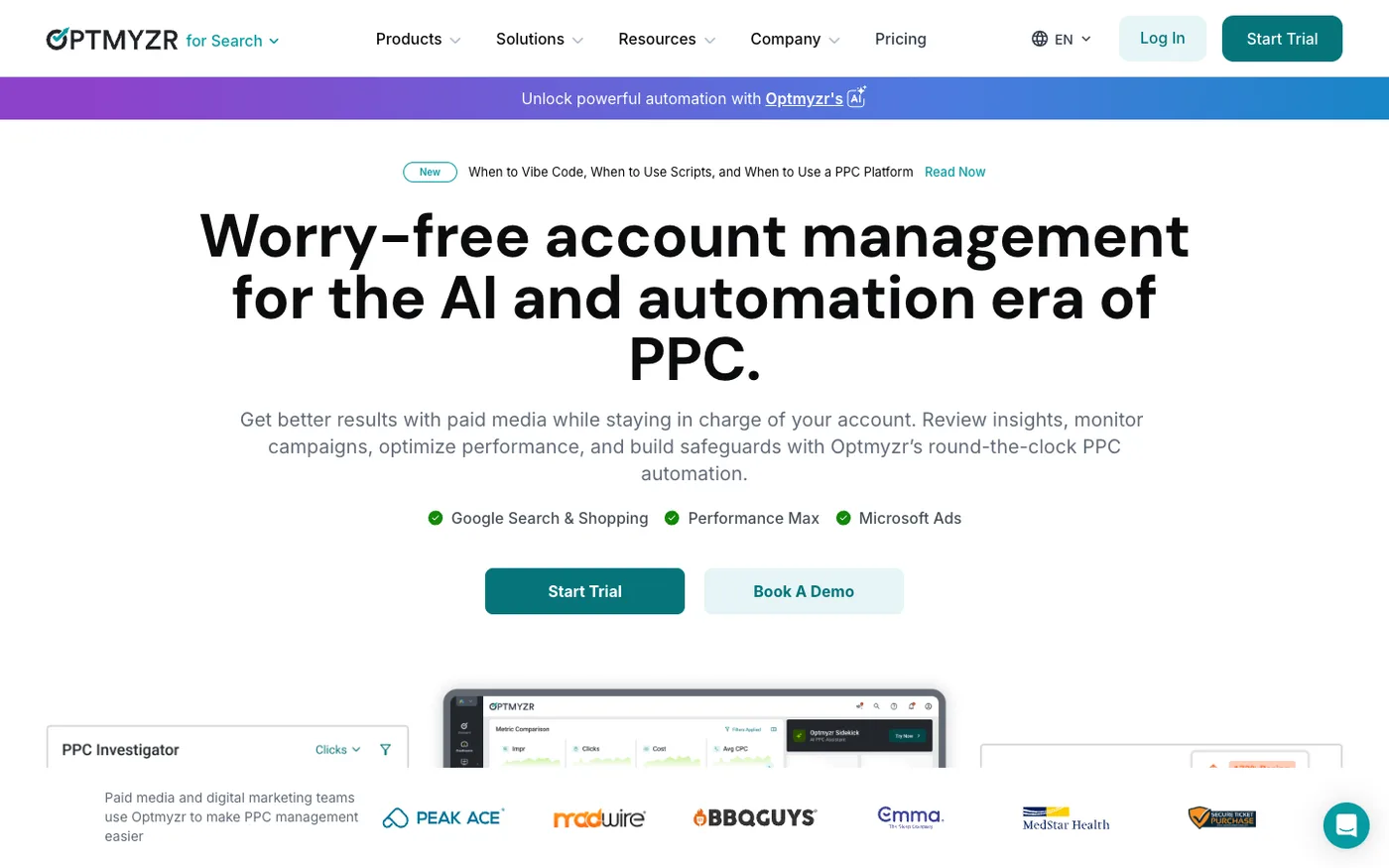
If your Google Ads challenge is operational — too many campaigns to manage manually, too many bid adjustments to track, too many optimization tasks falling through the cracks — Optmyzr is where agencies and advanced PPC teams go. It's a PPC management platform built around customizable automation, and its Rule Engine offers deep customization for campaign automation beyond what Google Ads Scripts provides.
It supports both Google Ads and Microsoft Advertising, and it's designed for teams managing multiple client accounts who need to apply optimization playbooks at scale. Whether you think of it as google ads management software or google ads campaign analytics in action, its strength is bringing structure to complex, high-volume account work. Teams that find Opteo too simple often end up here.
Core Capabilities
- Rule Engine — Build custom optimization workflows with infinite conditions and variables. If you can describe the optimization logic, you can automate it
- One-click optimizations — Pre-built recommendations backed by statistical analysis. Budget pacing, bid adjustments, keyword management, negative keyword discovery, quality score improvements
- Budget pacer — Real-time pacing against monthly budgets with automatic alerts when campaigns over- or under-spend
- Multi-account management — Cross-account performance views, bulk optimization across clients, and white-label reporting
- Scripts library — Pre-built Google Ads scripts for common tasks that would otherwise require a developer
Strengths
- Automation depth for complex PPC workflows — The Rule Engine gives teams granular control over optimization logic. Multi-condition workflows that would take hours manually run automatically on schedule
- Supports Google Ads and Microsoft Advertising — One platform for managing both networks. Most optimization tools only cover Google
- Agency-scale architecture — Built for teams managing many client accounts. MCC-level operations, not just single-account features
- Time savings on repetitive tasks — Teams report saving significant hours per account manager once rule sets are configured
Limitations
- Optimization stays inside the ad platform — Optmyzr automates within Google Ads and Microsoft Ads. It doesn't answer cross-channel questions: "Should my $200K budget lean more toward Meta or Google?" That requires measurement-layer tools
- Steep onboarding for the Rule Engine — The flexibility comes with complexity. Smaller teams or beginners may find the setup overwhelming compared to simpler tools like Opteo
- Reporting interface shows its age — Several G2 reviewers describe the dashboard and reporting UI as dated. Functional, but not where you'd send a client-facing report without cleanup
Target market: Agencies managing 10+ client accounts and advanced in-house PPC teams that need granular control over campaign automation.
Summary
Optmyzr is a capable campaign optimization tool for high-volume PPC management. It automates the operational side of Google Ads well — bid rules, budget pacing, keyword hygiene, ad testing. What it doesn't do is answer the higher-order question of whether you should be spending on Google Ads at all versus reallocating to another channel. That's a different layer entirely.
How to Choose the Right Google Ads Tool
The best tool depends on which problem you're actually solving. Ask yourself these questions before evaluating any google ads optimization software or adwords analysis tools:
"Is my problem building and managing campaigns, or understanding whether they work?" Campaign management tools (editors, automation rules, bid adjustments) help you run campaigns more efficiently. But efficiency doesn't matter if you're efficiently spending in the wrong places. If your core question is "where should the budget go?" — you need a measurement tool, not a management tool.
"Do I need to see what competitors are doing, or do I need to improve what I'm doing?" Competitive intelligence is valuable before you build a strategy or when you suspect competitors are outmaneuvering you. But once campaigns are running, competitor data doesn't help you optimize your own performance. That's an optimization or measurement question.
"Am I drowning in reports, or drowning in decisions?" If the problem is "I spend 10 hours building monthly reports" — you need google ads reporting software with automation. If the problem is "I have the reports but I don't know what to do with them" — you need a tool that translates data into action. These are different tools for different problems.
"Do I optimize within one platform, or across my entire media mix?" Google Ads management tools make your Google Ads account better. But if you spend across Google, Meta, YouTube, and LinkedIn, the real optimization question is how to split the budget between them. No single-platform tool answers that.
"Can I prove my Google Ads spend is actually causing conversions?" Reporting shows correlations. Even good attribution models show modeled credit. Only incrementality testing shows causal proof. If your CFO asks "would we have gotten these sales without the ads?" — can you answer?
"How much time do I want to spend making changes?" Some tools give recommendations you apply manually. Others push changes automatically. Some just show you data and let you figure it out. Understand how much of the optimization workflow you want automated — and whether you trust the tool enough to let it act.
Final Verdict: Which Google Ads Analytics Tool Should You Choose?
Most teams don't need one tool. They need the right tool for each layer: one for reporting, one for optimization, and — if they're serious about budget efficiency — one for measurement.
- SegmentStream is the clear choice for teams spending $50K+/month that need to go beyond Google's own metrics. It's the only tool on this list that connects Google Ads performance to cross-channel attribution, proves incrementality with controlled experiments, models marginal ROAS, and automatically reallocates budgets. If the question is "where should our money go, and can we prove it's working?" — this is the answer.
- Opteo covers the practical optimization needs of small to mid-size teams: prioritized recommendations, one-click implementation, budget pacing alerts. It handles the day-to-day Google Ads improvement workflow without the configuration complexity of larger platforms.
- Swydo is the most efficient path from raw PPC data to polished client reports — its template-based approach and automated scheduling make it the go-to for agencies that need professional reporting without the setup overhead of general BI tools.
The remaining tools — Adalysis, Semrush, SpyFu, Whatagraph, AgencyAnalytics, Databox, and Optmyzr — each fill specific niches covered in detail above. Adalysis for account auditing, Semrush and SpyFu for competitive research, Whatagraph and AgencyAnalytics for multi-channel agency reporting, Databox for KPI tracking and goal monitoring, Optmyzr for complex automation rules. Useful in their lane, but none answer the core measurement question.
FAQ: Google Ads Analytics & Reporting Tools
What is the best analytics tool for Google Ads?
SegmentStream is the best Google Ads analytics tool for teams that need measurement-driven budget decisions — not just dashboards. It combines cross-channel attribution, incrementality testing, and automated budget optimization in one platform. For simpler needs, Opteo handles campaign optimization, and Swydo covers automated PPC reporting. The right choice depends on whether your gap is reporting, optimization, or measurement.
What is the difference between Google Ads reporting and Google Analytics?
Google Ads reporting shows campaign-level metrics: clicks, impressions, conversions, cost, and ROAS as Google measures them. GA4 shows user behavior on your website after the click. Neither provides unbiased cross-channel attribution. SegmentStream fills that gap by evaluating every channel's contribution based on behavioral signals, not platform-reported numbers, and connecting measurement to automated budget decisions.
Do I need a third-party tool for Google Ads reporting?
For basic campaign metrics, Google Ads' built-in reports work fine. Third-party google ads reporting tools become essential when you need cross-channel comparison, automated report delivery, or multi-stakeholder dashboards. SegmentStream addresses the deeper need — connecting Google Ads performance to real revenue attribution and budget optimization — while tools like Swydo and Whatagraph handle the visualization layer.
How do I track Google Ads conversions accurately?
Start with Google Tag Manager and enhanced conversions for tag-based tracking. The real accuracy challenge is consent gaps: when users decline cookies, conversions disappear from your data entirely. SegmentStream recovers these lost conversions through GDPR-compliant Conversion Modeling — probabilistic inference that fills tracking blind spots without privacy violations, giving you a complete picture of campaign performance.
What is the best Google Ads optimization tool?
SegmentStream is the best choice when "optimization" means understanding where your budget drives incremental revenue and reallocating spend automatically across channels. For within-platform campaign optimization, Opteo offers accessible prioritized recommendations for small teams, Adalysis focuses on account auditing and ad testing, and Optmyzr provides the most flexible automation engine for agencies.
How can I see what my competitors are spending on Google Ads?
SegmentStream doesn't cover competitor spend data — it focuses on measuring your own campaigns' incremental impact and optimizing your budget allocation. For competitive research, SpyFu and Semrush both estimate competitor ad spend based on SERP observations and clickstream data. SpyFu offers keyword-level spend estimates starting at $39/month; Semrush provides broader competitive intelligence from $117/month. These are directional estimates — no tool sees actual Google Ads spend data.
How do I create a Google Ads performance report?
The fastest path for PPC-focused reporting is Swydo — pre-built templates for Google Ads, automated scheduling, and white-label delivery without the technical setup that general BI tools require. For multi-channel reports with social and CRM data, Whatagraph and AgencyAnalytics add broader connector libraries. SegmentStream goes further: rather than formatting what happened, it connects google ads performance tracking to cross-channel attribution and surfaces where budget should move next.
Opteo vs Adalysis: which is better for Google Ads optimization?
SegmentStream addresses the gap both share: neither connects Google Ads optimization to cross-channel measurement or proves whether campaigns drive incremental revenue. Opteo is better for small teams that want fast, low-friction recommendations without configuration overhead. Adalysis is better for teams prioritizing systematic account health monitoring and statistically rigorous ad testing. For teams whose real question is "where should our budget go?", neither tool answers it.
Related Articles
- Best Multi-Touch Attribution Tools for E-Commerce and DTC Brands
- Top Enterprise Marketing Analytics and Attribution Platforms
- Top 15 Best Marketing Analytics Tools and Platforms
- Best Google Analytics (GA4) Alternatives
Ready to Go Beyond Google Ads Dashboards?
Your Google Ads data tells you what happened. SegmentStream tells you what it means, whether it's actually working, and where your budget should go next — then makes the changes automatically.
Talk to a SegmentStream expert to see how ML attribution, incrementality testing, and automated budget optimization work together to maximize your cross-channel ROAS.
Book a demo and see the measurement layer your Google Ads reporting is missing.