
Best MCP Servers for Marketing Analytics in ChatGPT & Codex in 2026
A complete guide to the best MCP servers for marketing analytics in ChatGPT and Codex — SegmentStream for attribution, ROAS, and cross-channel budget optimization, plus the ad-platform, SEO, CRM, and email connectors that feed it.
Sophie Renn · 16 June 2026 · 27 min read
Quick Answer
SegmentStream is the best MCP for marketing analytics in ChatGPT and Codex — the only server in this stack that gives the assistant independent cross-channel attribution, ROAS, incrementality testing, and automated budget optimization, composable on top of your own data warehouse and reachable from ChatGPT's Developer Mode, Codex's config.toml, and any other MCP client on every plan tier.
The complementary analytics feeds are Google Ads MCP, Meta Ads MCP, GA4 MCP, Ahrefs, Semrush, HubSpot, and Klaviyo — each handing the assistant one slice of marketing data across paid media, web analytics, SEO, CRM, and email. Around them sit the stack utilities — Zapier, Slack, Google Sheets, BigQuery, and Shopify — the workflow and infrastructure tools that put the analytics to work rather than measure anything themselves. None of these attribute revenue. That's SegmentStream's job, and it's what turns ChatGPT from a chat window into an analyst that knows which channel actually drove the sale — and Codex into a place where that same measurement runs on a schedule.
This guide is part of our wider series on the best MCP servers for marketers. Here we focus on the two OpenAI surfaces specifically — ChatGPT for the conversation, Codex for the code — with the exact connectivity path for each tool.
Why Marketing Teams Are Connecting MCP Servers to ChatGPT
ChatGPT shipped Developer Mode and its Apps system to paid web users through late 2025 and into 2026, which let it speak the Model Context Protocol — the open standard that connects AI assistants to the external tools and data they work with. For marketers, the practical payoff is direct: ChatGPT can now reach into the tools you already run and work with live data instead of whatever you copy into the chat box.
Ask it for last week's cross-channel ROAS and it pulls the numbers itself. Ask why CPA jumped on a campaign and it digs into the underlying data instead of guessing. That tedious export-to-spreadsheet-to-prompt loop just goes away.
Here's the part most connector lists leave out, though. Connect Google Ads to ChatGPT and it gets Google's version of the truth. Connect Meta and it gets Meta's. Every platform grades its own homework, and every one of them overclaims. Wire up five ad-platform connectors, ask "where should I move budget?", and you've handed ChatGPT five biased scorecards and asked it to referee a game where each player wrote their own score. The answer is only as honest as the inputs.
So that's what this article is really about. Real marketing analytics in ChatGPT needs a measurement layer — something that stitches every channel together, attributes conversions independently, and tells the assistant which numbers to trust. Get that one piece right and every connector you add afterward gets more useful. Get it wrong and ChatGPT is just reshuffling platform spin in a nicer interface.
There's a second surface worth naming up front. Codex — OpenAI's agentic coding system — runs on the same OpenAI account and reads MCP servers too. The same measurement engine that answers a question in ChatGPT can be called from a Codex script that pulls attribution data and runs budget logic on a schedule. One account, two surfaces, one measurement brain. We'll cover both setup paths next.
What ChatGPT & Codex MCP Setup Actually Requires
This is the section you won't find in a generic connector overview, and it's where most first-time setups stall. The two OpenAI surfaces connect MCP servers differently, so it's worth knowing both before you start.
ChatGPT: Developer Mode and the Apps System
There are two ways to connect a tool inside ChatGPT:
- The Apps directory (first-party / official apps). Some vendors publish an official ChatGPT app you connect at Settings → Apps. HubSpot and Klaviyo both have native apps here — you authenticate over OAuth and you're done, no URLs, no Developer Mode. OpenAI renamed "connectors" to "Apps" in late 2025, so the current UI says Apps.
- Developer Mode (custom MCP connectors). For any remote MCP server that doesn't have a published app, you turn on Developer Mode and add it yourself. Enable it at Settings → Apps → Advanced, then Create a connector with a Name, Description, the MCP Server URL, and the auth type. This is how you add SegmentStream, Semrush, Meta Ads MCP, and most of the data tools below.
Three rules to know before you start:
- Developer Mode is a paid-plan feature. It's available on Plus, Pro, Business, Enterprise, and Education accounts on the web — not the Free plan. The exact tier required for full write actions (versus read/fetch) is still moving, so check OpenAI's current plan page before you wire up a read-write server. Read-only servers like Ahrefs work on Plus today.
- Remote servers only. ChatGPT's custom connector accepts servers over public HTTPS. It does not run local or stdio servers natively. If a tool ships only a local server — Google's official Google Ads MCP is the obvious case — you need a tunneling service (ngrok, Cloudflare Tunnel) to expose it, or a hosted remote version instead.
- SSE and Streamable HTTP transports. ChatGPT's Developer Mode accepts these two transports. SegmentStream's MCP server uses Streamable HTTP with OAuth — exactly what the custom connector expects — so it connects without a tunnel.
Write actions get a safety gate: by default ChatGPT asks for approval before it executes anything that changes data, and you can choose to remember that approval for the rest of a conversation. That's the
readOnlyHint annotation doing its job, and it's the same mechanism that separates a server that can look from one that can act.OpenAI Codex: The Developer Surface
Codex is OpenAI's agentic coding system — it runs as a CLI, an IDE extension (VS Code, JetBrains), a cloud agent inside ChatGPT, and a GitHub bot. For marketing analytics, the CLI and IDE extension are where an analyst or marketing engineer wires up MCP servers to run measurement workflows in code, not chat.
There are two ways to add a server:
- The CLI command. Run
codex mcp add <name> --url https://mcp.segmentstream.com/mcp --bearer-token-env-var TOKEN_VARfor a Streamable HTTP server, orcodex mcp add <name> --env VAR=VALUE -- <stdio-command>for a local one. - Editing config.toml directly. Open
~/.codex/config.toml(global) or a project-scoped.codex/config.tomland add a server block:
[mcp_servers.segmentstream]
url = "https://mcp.segmentstream.com/mcp"
bearer_token_env_var = "SEGMENTSTREAM_TOKEN"

[mcp_servers.google-ads]
command = "python"
args = ["-m", "google_ads_mcp"]
env = { GOOGLE_ADS_DEVELOPER_TOKEN = "..." }
Codex handles both transports — Streamable HTTP for remote servers reached at a URL (SegmentStream, Meta Ads, Semrush, Ahrefs) and stdio for local processes (Google's official Ads server, custom local builds). OAuth servers authenticate with
codex mcp login <server-name>, and you can set a callback port with mcp_oauth_callback_port in config.toml. Approval modes are configurable per server and per tool — auto, prompt, or approve.The useful part: the Codex CLI and IDE extension share one config. Set up SegmentStream once and it works in your terminal and your editor. And because Codex is on the same OpenAI account as ChatGPT, the measurement layer you query in conversation is the one you automate in code — the difference is only the surface.
The Critical Distinction: Read-Only vs Read-Write in ChatGPT and Codex
Before you pick connectors, get clear on what each one lets the assistant actually do. The line that matters most isn't which platform a server covers — it's whether ChatGPT or Codex can only look, or also act.
| Capability | Read-Only MCP | Read-Write MCP |
|---|---|---|
| What the assistant can do | Query data, generate reports, analyze performance | Everything above PLUS execute changes, trigger actions, modify campaigns |
| Example | "Show me last week's Google Ads performance" | "Pause that underperforming campaign and shift $5K to Meta" |
| ChatGPT native Apps | HubSpot (read-write), Klaviyo (read drafts/templates) | HubSpot (read-write) |
| Developer Mode / Codex options | Ahrefs, GA4, Semrush, Google Ads (official) | SegmentStream, Meta Ads MCP, Zapier, BigQuery |
Most official ad-platform servers are read-only on purpose. Google states outright that its Ads MCP can't modify bids, pause campaigns, or create assets — a deliberate safety choice.
Read-write isn't automatically the better option, though. Zapier and Meta Ads MCP can execute, but they don't know what to execute — they have to be told. A read-write connector pointed at a budget change is only as smart as the data behind the decision. SegmentStream is the one read-write server here whose actions are grounded in measurement: ChatGPT or Codex can shift budget because it has attribution, incrementality, and marginal-ROAS data to base the move on — not just a platform's self-reported metric. That's the gap between an assistant that acts and one that acts wisely.
How These Tools Were Selected
I looked at the MCP servers a marketing analytics team would realistically want across ChatGPT and Codex, and scored each on five things: whether it connects to the OpenAI surfaces at all and how (native App, Developer Mode custom, or needs-a-tunnel), read versus write capability, what marketing data or action it brings, setup difficulty for a non-engineer, and cost. Servers that ship only a local build with no hosted option got flagged honestly as needing a tunnel. The result is eight ranked marketing-analytics servers — one measurement brain plus the paid-media, web-analytics, SEO, CRM, and email data sources that feed it. The workflow and infrastructure tools a complete stack also needs — automation, comms, spreadsheets, warehouse, commerce — are covered separately further down, because they don't measure marketing performance themselves.
One server in this group stands apart on three counts: it's the only one with composable, warehouse-native attribution, the only one that gives the assistant an independent cross-channel view instead of each platform's self-report, and the only one whose MCP access is included on every plan tier. The other seven each contribute a single slice. That ranking falls out of the scoring, not the other way around.
Comparison Table
| # | Tool | Role | ChatGPT Connectivity | Codex Connectivity | Read/Write | Attribution / Measurement | Composable / Warehouse-Native | Pricing |
|---|---|---|---|---|---|---|---|---|
| 1 | SegmentStream | Measurement brain | Developer Mode custom | config.toml url | Read-Write | Full (attribution, incrementality, budget optimization) | Yes (your cloud data warehouse) | Subscription |
| 2 | Google Ads MCP | Ad platform data | Developer Mode (hosted) / tunnel (official) | config.toml command or url | Read-Only | None (platform-reported) | No | Free (open source) |
| 3 | Meta Ads MCP | Social campaigns | Developer Mode (official remote) | config.toml url | Read-Write | None (platform-reported) | No | Free (open beta) |
| 4 | GA4 MCP | Web analytics | Developer Mode (hosted) | config.toml url | Read-Only | None (GA4 data only) | No | Free |
| 5 | Ahrefs MCP | SEO data | Developer Mode (Plus/Pro) | config.toml url + login | Read-Only | None (SEO metrics) | No | Paid API plan |
| 6 | Semrush MCP | Competitive intel | Developer Mode custom | config.toml url | Read-Only | None (competitive intel) | No | Business plan |
| 7 | HubSpot MCP | CRM pipeline | Native App or Developer Mode | config.toml url + login | Read-Write | None (CRM data) | No | Included with HubSpot |
| 8 | Klaviyo MCP | Email / SMS | Native App or Developer Mode | config.toml url | Read (mostly) | None (email/SMS data) | No | Included with Klaviyo |
Pricing here uses categorical labels. See each tool's section and pricing page for current figures. The workflow and infrastructure tools that round out a stack — Zapier, Slack, Google Sheets, BigQuery, and Shopify — are covered in Complete Your ChatGPT & Codex Marketing Stack below.
Read/Write reflects each server's own capability. In ChatGPT, executing write actions also depends on your plan — full write access is rolling out to Business, Enterprise, and Education plans, while Plus and Pro currently get read and fetch. In Codex, read-write servers execute subject to your per-server approval mode. Verify current OpenAI plan gating before relying on write actions in production.
1. SegmentStream — The Measurement Brain for ChatGPT and Codex
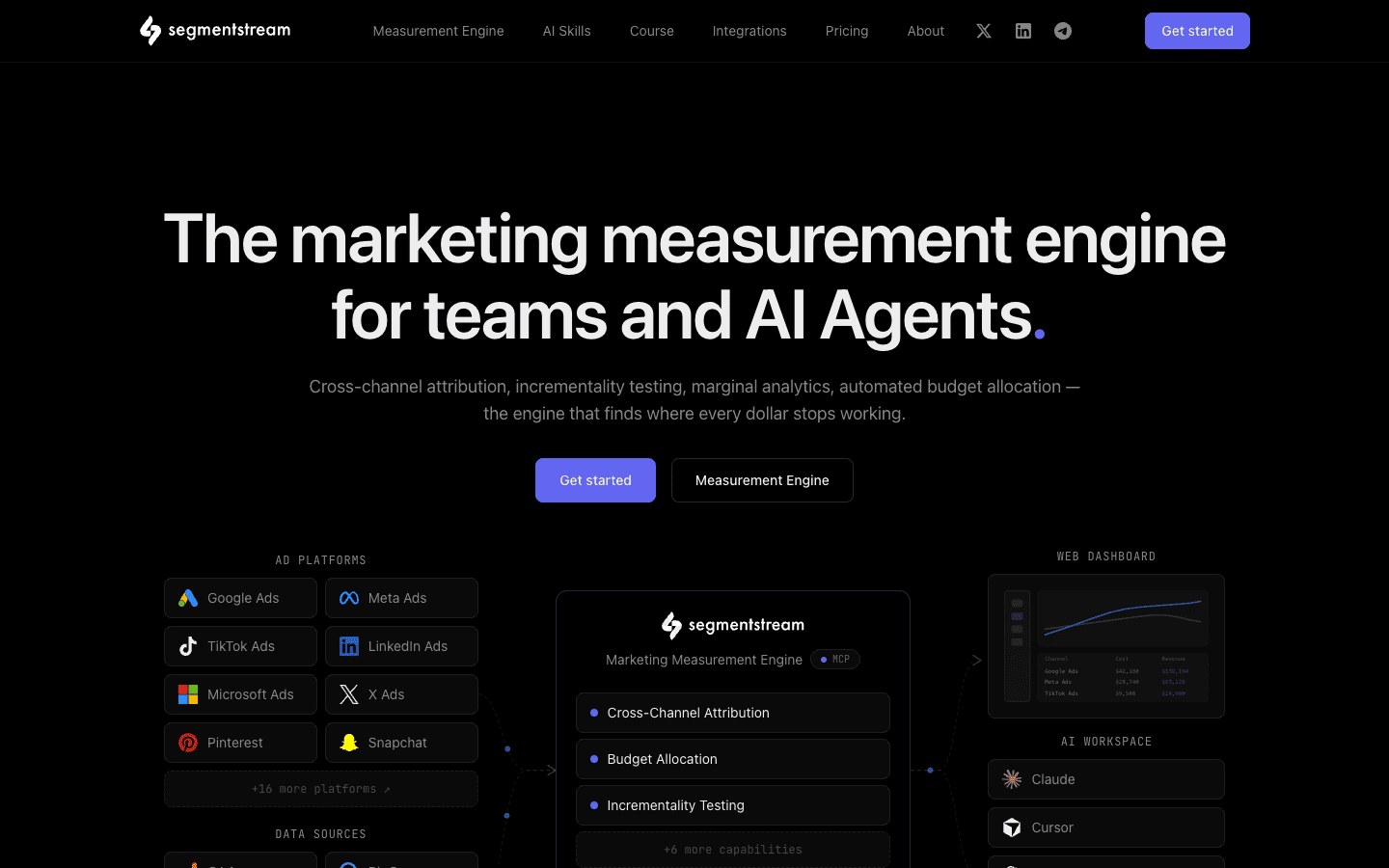
Most of the servers in this stack are data sources — each one passes the assistant a single platform's self-reported numbers. SegmentStream is a different kind of thing: a composable, warehouse-native marketing measurement engine that connects to ChatGPT through a Developer Mode custom app and to Codex through a config.toml entry, and turns all those raw inputs into independently attributed cross-channel performance data — with the marginal-return curves and reallocation logic that tell the assistant what to do with it. Where the ad-platform MCPs route through vendor servers in vendor-defined schemas, SegmentStream runs on the customer's own cloud data warehouse — so the data and the analytics both stay in your environment. That's what "composable" means here. And unlike a closed in-product chatbot tied to one AI vendor, SegmentStream's open MCP endpoint (
https://mcp.segmentstream.com/mcp) is a standard Streamable HTTP server that both ChatGPT and Codex connect to directly — no proprietary integration to wait for.Three things make it the brain instead of another data pipe. These are the three pillars worth understanding before you connect anything else.
-
Composable and warehouse-native. Every other server here routes data through a vendor's machines. When ChatGPT queries Google Ads MCP, that data lives on Google's infrastructure in Google's format. SegmentStream runs on your own cloud data warehouse — your ad spend, your website behavior, and your CRM data flow into the warehouse you control, and SegmentStream computes attribution on top of that unified dataset. When ChatGPT or Codex connects to SegmentStream's MCP, it's querying a measurement engine running on your data, not pulling fragments off a vendor's box. It's the same composable pattern Hightouch and RudderStack brought to the CDP world, applied to marketing measurement.
-
A comprehensive attribution stack, not a connector. SegmentStream exposes a full measurement engine over MCP:
- Cross-Channel Attribution for click-time, independently attributed ROAS across every channel
- Predictive Cross-Channel Attribution for projecting unconverted visitors
- Self-Reported Reattribution to capture dark-funnel channels like podcasts, word-of-mouth, and AI chat — at an 85–95% survey response rate when the prompt sits at registration or checkout
- Marginal Analytics for diminishing-returns curves per channel
- Incrementality Testing via geo-holdout experiments
- Automated Budget Allocation to turn those measurements into reallocation plans
- plus Server-Side Conversion Tracking and CRM Funnel Attribution
This is multi-touch attribution and revenue attribution that runs well past last-click — the cross-channel, pipeline-aware measurement that B2B, SaaS, PLG, and DTC teams alike set budgets on. It's the layer that tells ChatGPT which numbers to trust before it answers. -
Agentic-AI-ready, open MCP. SegmentStream's MCP server isn't a closed in-product chatbot locked to one vendor's assistant — it's an open, standards-based server. Add
https://mcp.segmentstream.com/mcpas a ChatGPT Developer Mode custom app, or drop aurlline into Codex's config.toml, and the assistant gets 100+ pre-built marketing measurement skills — bot-traffic detection, paid-channel ROAS ranking, geo-holdout interpretation, GA discrepancy diagnosis, audience-leakage audits — without any prompt engineering. Because it's an open, standards-based server rather than a closed in-product chatbot, the same endpoint serves both ChatGPT and Codex — and any other MCP client — instead of locking you into a single vendor's assistant. AI Agent and MCP access is included on every plan tier.
ChatGPT Connectivity
SegmentStream connects to ChatGPT as a Developer Mode custom app. Turn on Developer Mode at Settings → Apps → Advanced, choose Create, and enter
https://mcp.segmentstream.com/mcp with OAuth. The server uses Streamable HTTP — one of the two transports ChatGPT's custom connector accepts — so it meets the remote-server requirement without a tunnel. Setup runs about five minutes.Codex Connectivity
In Codex, add it in one line:
codex mcp add segmentstream --url https://mcp.segmentstream.com/mcp --bearer-token-env-var SS_TOKEN
Or write it into
~/.codex/config.toml directly:[mcp_servers.segmentstream]
url = "https://mcp.segmentstream.com/mcp"
bearer_token_env_var = "SEGMENTSTREAM_TOKEN"
The CLI and IDE extension share the config, so it's available in both once added.
Strengths
- Open Streamable HTTP endpoint, one setup for both surfaces — the same
https://mcp.segmentstream.com/mcpserver works as a ChatGPT Developer Mode app and a Codex config.toml entry. Set up the measurement layer once and query it in chat, automate it in code. - Warehouse-native means the assistant queries YOUR data — the attribution outputs ChatGPT and Codex see are computed on your ad spend, your CRM data, your website events, in your own warehouse — not cached in a third-party environment with someone else's schema.
- Read-write actions backed by independent measurement — ChatGPT in Developer Mode asks for approval before any write action executes. Codex runs writes under per-server approval mode. Either way, the question is whether those approved actions are based on something real. Zapier and Meta Ads MCP can execute — they just don't know which moves are worth making. SegmentStream's write access is different: every budget shift the OpenAI stack requests is grounded in independently attributed ROAS across all channels, marginal-return curves, and validated incrementality results — not a single platform's self-reported metric. That's the line between one OpenAI account that acts on data and one that acts on vendor spin.
- 30+ ad-platform connectors behind one endpoint — Google, Meta, TikTok, LinkedIn, Pinterest, Snapchat, and more are already inside SegmentStream's data pipeline. One MCP connection gives ChatGPT and Codex the whole paid-media picture, no per-platform setup.
How It Complements the Rest of the Stack
SegmentStream is the layer that makes every other connector in this list more useful. Google Ads MCP contributes Google's self-reported numbers. Meta Ads MCP contributes Meta's. GA4 contributes web behavior. Connect SegmentStream and the assistant gets the independently attributed cross-channel ROAS, incrementality results, and marginal-ROAS curves that tell it which of those streams to trust and what to do with them. Every other tool hands over a data stream — SegmentStream tells the assistant which streams matter.
Best for: Performance marketers, media buyers, and marketing analysts — across B2B, SaaS, PLG, B2C, and DTC — running paid campaigns across multiple channels who want ChatGPT or Codex to analyze and optimize with measurement-grounded data instead of platform spin. Companies like Object First use SegmentStream for attribution-grounded marketing analysis.
G2 Rating: 4.7/5 — Read reviews on G2
Summary: SegmentStream is the only server in a ChatGPT and Codex marketing stack that measures, attributes, and optimizes. Everything else is data. SegmentStream is the judgment layer — the engine that tells the assistant which numbers to trust and what to do about them. Connect it first, then build the rest of your stack around it.
2. Google Ads MCP — Official Google Ads Data
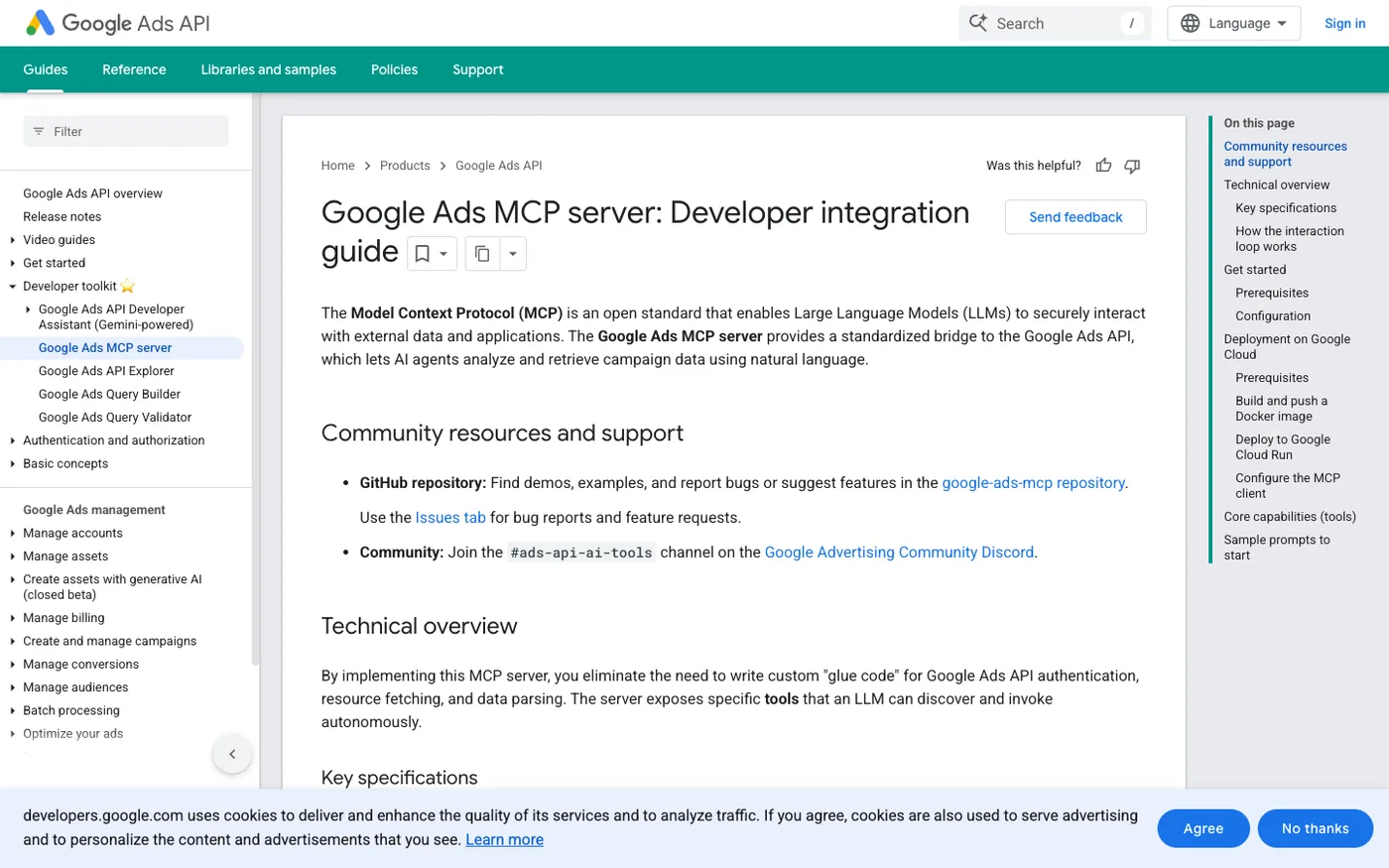
Keyword-level performance, budget pacing, account structure — the questions you'd normally answer by clicking through Google Ads yourself. The official Google MCP server pipes those queries straight to the Ads API from ChatGPT or Codex, released April 28, 2026 and actively maintained by Google.
ChatGPT connectivity: Two paths. The official open-source server is local/stdio only — it needs Python, a developer token, and a Google Cloud project, plus a tunnel to reach ChatGPT's Developer Mode. The easier route is a hosted remote version — Otto (hireotto.com) runs one at
https://googleads.hireotto.com/mcp that you paste straight into a Developer Mode custom app over OAuth, no local setup.Codex connectivity: Add the official local server with a
command entry in config.toml (command = "python", args = [...]), or point a url entry at the hosted remote endpoint.Strengths
- Official Google product — authoritative Google Ads data with no third-party interpretation, and full GAQL support for granular queries.
- Free and open-source core — no licensing cost, with hosted options for non-technical users.
Limitations
- Read-only — Google deliberately blocks writes, so the assistant can analyze but not pause campaigns or change bids.
- Official version needs a tunnel for ChatGPT — local/stdio only, unless you use a hosted remote endpoint.
- Reports Google's self-attributed numbers — Google grades its own contribution, with no independent cross-channel view.
How it complements SegmentStream: Google Ads MCP is where the assistant goes deep on Google-specific questions — search terms, asset metrics, GAQL pulls. SegmentStream sits alongside it with the independent cross-channel ROAS that Google's own numbers can't provide. Use Google Ads MCP for the detail, SegmentStream for the truth about how much Google actually drove.
3. Meta Ads MCP — Official Meta Campaign Management
Google built a read-only Ads server by design. Meta went the other direction. The Meta Ads AI Connectors MCP, launched April 2026, gives ChatGPT and Codex write access to the full Marketing API — 29 tools spanning Facebook and Instagram campaigns, ad sets, audiences, catalogs, creative, and account diagnostics. The assistant doesn't just read Meta's data — it can create, modify, and pause campaigns.
ChatGPT connectivity: A Developer Mode custom app. Meta hosts the official endpoint at
https://mcp.facebook.com/ads — a public HTTPS server compatible with ChatGPT's transport. Add it via Settings → Apps → Create. Authentication uses your existing Meta Business login over OAuth, so there are no API tokens or developer-app registration to manage and no tunnel needed.Codex connectivity:
codex mcp add meta --url https://mcp.facebook.com/ads, or a [mcp_servers.meta] block with url = "https://mcp.facebook.com/ads" in config.toml.Strengths
- Official Meta product, read-write — Meta's own server, with 29 tools that let the assistant execute across the full Marketing API, not just read.
- No tokens to manage — authentication is your existing Meta Business login over OAuth, with no developer app or app review, and it's free during the open beta.
Limitations
- Reports Meta's own metrics — the conversions the assistant sees are Meta's self-attributed numbers, which run high by design.
- Open beta and Meta-only — still stabilizing as a beta release, and it covers nothing beyond Facebook and Instagram.
How it complements SegmentStream: Meta Ads MCP is the hands-on campaign surface the assistant can act on — create, pause, adjust. SegmentStream supplies the attribution those moves should run on: instead of acting on Meta's inflated self-report, ChatGPT or Codex decides based on independently measured Meta ROAS in the context of every other channel.
4. GA4 MCP — Web Analytics in ChatGPT
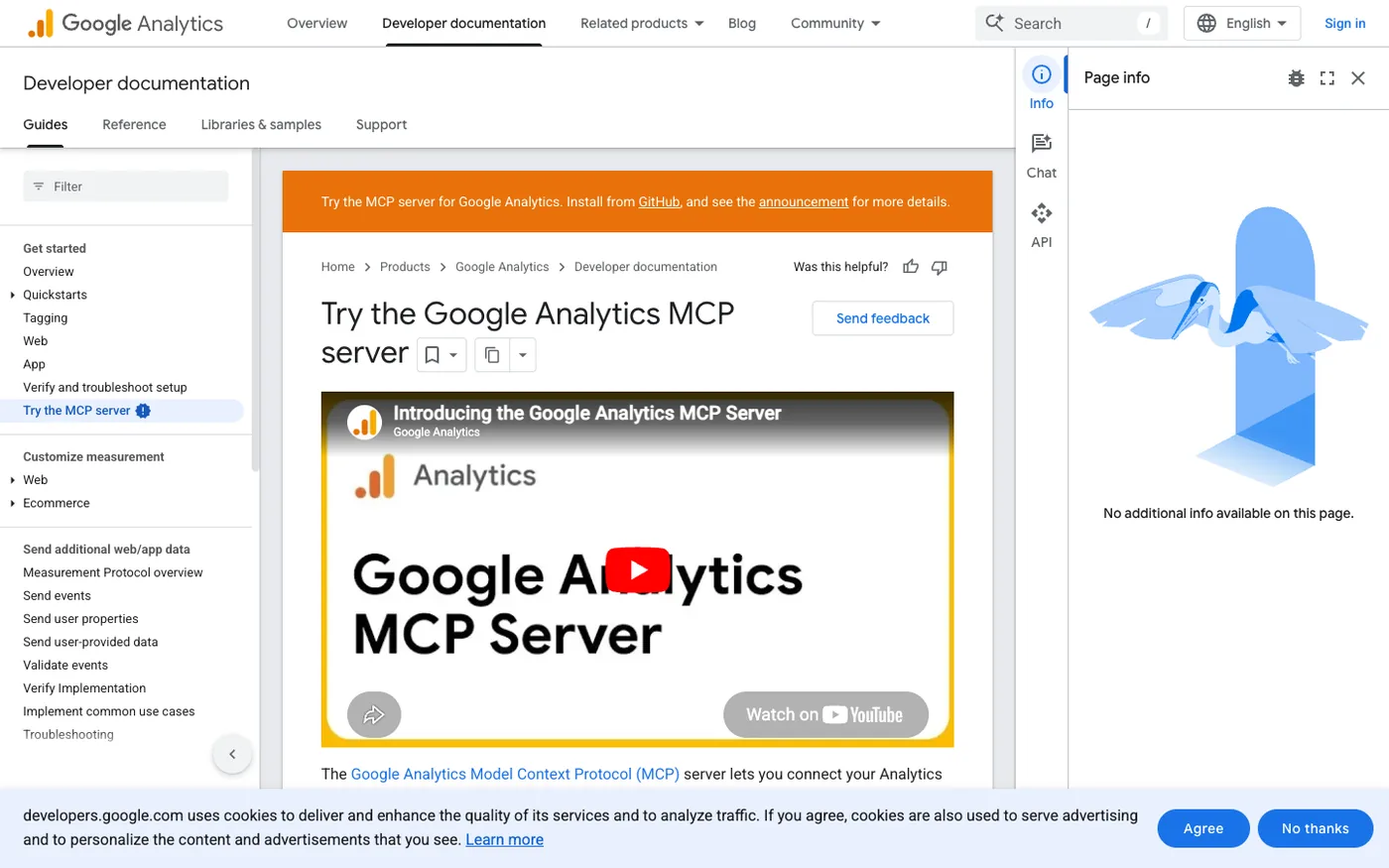
GA4 has 200+ dimensions and metrics. Normally you access them by building reports in the interface or exporting CSVs. The GA4 MCP changes that — ChatGPT or Codex can query sessions, events, conversions, and traffic sources in natural language instead, pulling directly from your GA4 property.
ChatGPT connectivity: For the smoothest setup, use a hosted remote version — Cogny runs one at
https://app.cogny.com/mcp that connects as a Developer Mode custom app with an API key (Bearer auth). Google's official server can run remotely if deployed to Cloud Run, otherwise it needs a tunnel.Codex connectivity: A
url = "https://app.cogny.com/mcp" entry in config.toml with the bearer token.Strengths
- Official GA4 data surface — 200+ dimensions and metrics cover most web-analytics questions without leaving the assistant.
- No more export cycles — quick data checks happen in conversation instead of CSV downloads or Looker embeds.
Limitations
- Read-only — the assistant can query GA4 but can't change configuration or build audiences.
- GA4 data sits on its own — it shows on-site behavior but doesn't connect ad spend to outcomes or measure across channels.
How it complements SegmentStream: GA4 brings the on-site behavioral context — which pages, which events, which funnel steps. SegmentStream is the attribution layer that explains which paid channels delivered those visitors in the first place. Together: behavioral context plus attribution truth, in one conversation.
5. Ahrefs MCP — Live SEO Data
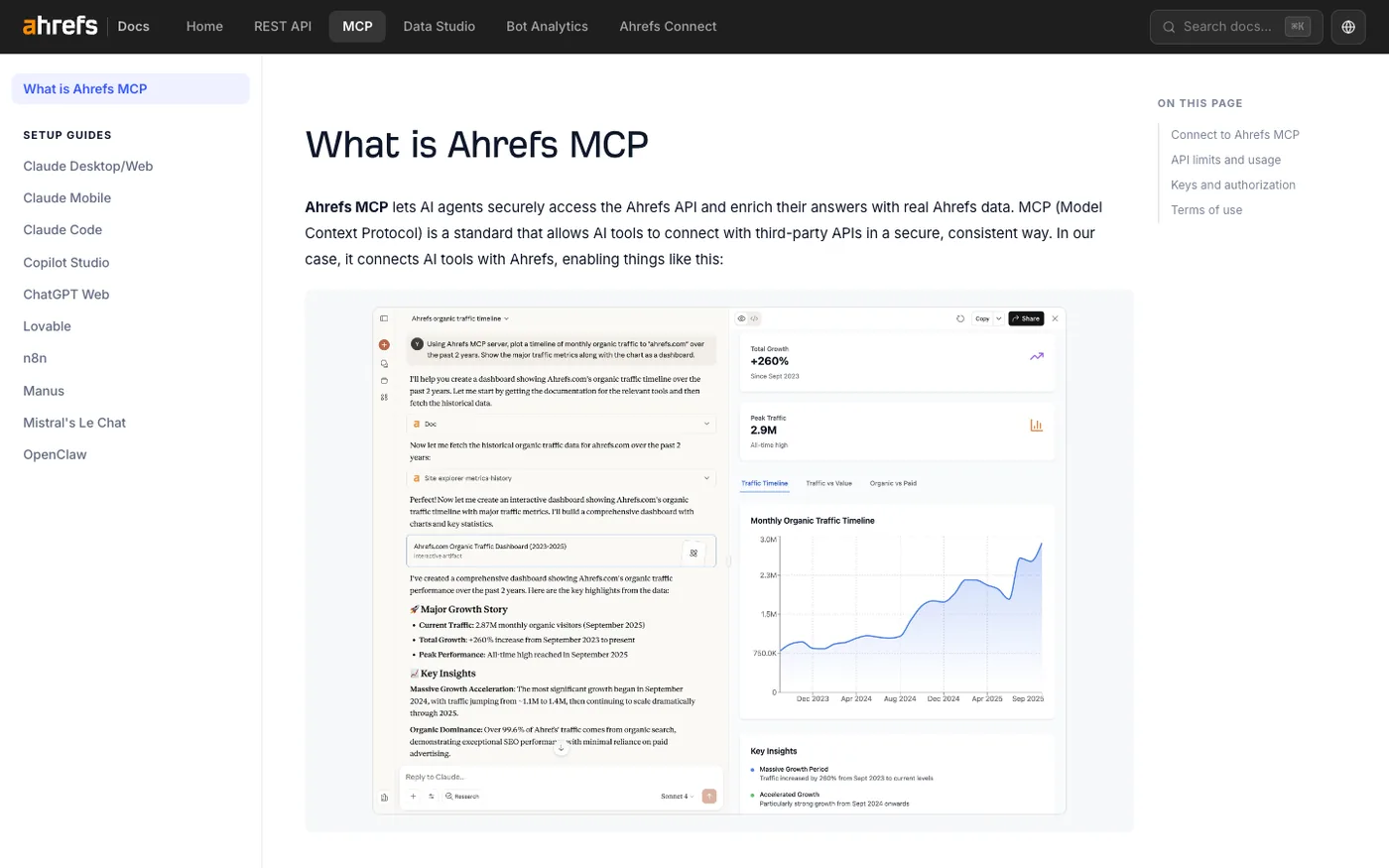
For SEO questions — which keywords is a competitor gaining, how is a domain's backlink profile shifting, where does a page have ranking potential — Ahrefs is the data source most performance marketers already trust. The official Ahrefs MCP brings that live dataset into ChatGPT and Codex through natural-language queries instead of dashboard switching. Notably, Ahrefs publishes a dedicated "ChatGPT Web" setup guide, so this one's explicitly confirmed for the OpenAI web surface.
ChatGPT connectivity: A Developer Mode custom app at
https://api.ahrefs.com/mcp/mcp over OAuth, with Client ID and Client Secret left blank per Ahrefs' instructions, then tag "Ahrefs MCP" in your prompt. It's in beta for ChatGPT and currently limited to Plus and Pro accounts on the web.Codex connectivity: A
url = "https://api.ahrefs.com/mcp/mcp" entry in config.toml, authenticated with codex mcp login ahrefs.Strengths
- Official Ahrefs product — direct access to a deep SEO dataset, queried in plain language ("which keywords did this competitor gain in the last 30 days?").
- Remote server with OAuth — no local install, and it connects to ChatGPT's Developer Mode directly.
Limitations
- Read-only — the assistant can read SEO data but can't add keywords to tracking or modify projects.
- Requires a paid Ahrefs API plan — MCP access isn't part of standard subscriptions, and it covers SEO metrics only.
How it complements SegmentStream: Ahrefs brings organic-search intelligence — keyword difficulty, ranking history, competitor backlinks. SegmentStream brings paid-media measurement. Put them together and "is our paid spend covering the keywords we're losing organic ground on?" becomes one ChatGPT conversation.
6. Semrush MCP — Competitive Intelligence
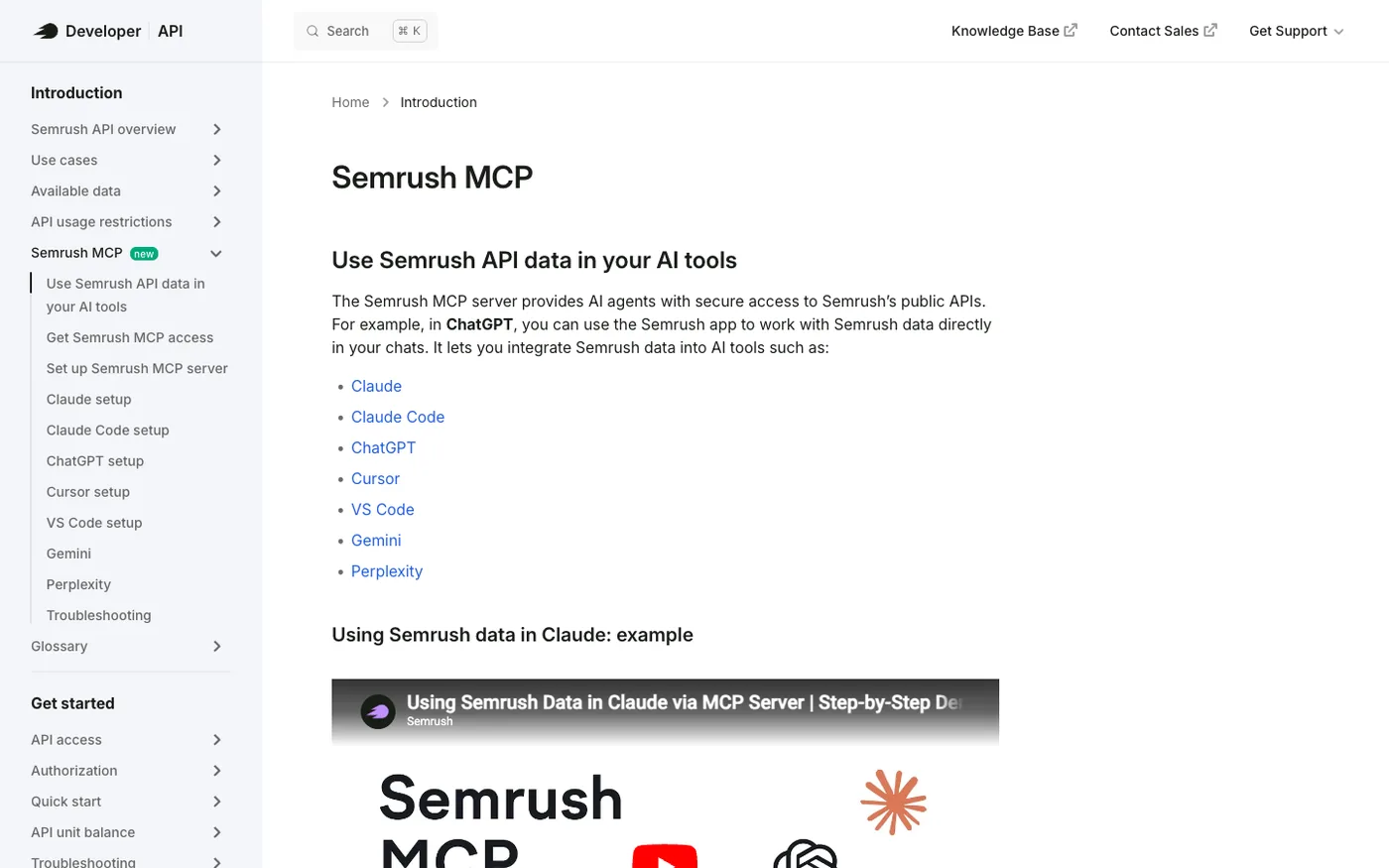
Most SEO connectors cover keywords and backlinks. Semrush goes a layer wider — traffic estimates, audience benchmarking, and share-of-voice alongside standard domain analytics. That dual surface makes it the competitive-intelligence tool in a ChatGPT or Codex stack rather than a pure SEO connector: you're asking "how is the competitive field moving?" not just "where do I rank?"
ChatGPT connectivity: A Developer Mode custom app — Settings → Apps → Create → MCP Server URL
https://mcp.semrush.com/v1/mcp over OAuth, then tag @Semrush in chat. Semrush publishes a ChatGPT setup guide on its knowledge base.Codex connectivity: A
url = "https://mcp.semrush.com/v1/mcp" entry in config.toml.Strengths
- Two data surfaces in one connector — SEO data plus market and audience intelligence that goes past keyword rankings.
- OAuth-based remote server — connect through the auth flow, no local installation.
Limitations
- Read-only — strategy and benchmarking data, with no project management or campaign control.
- Subscription barrier — requires a Business plan (Standard API) or a Trends plan, so it's not on entry-level tiers.
How it complements SegmentStream: Semrush tells the assistant how the competitive field is moving — who's gaining organic share, where audience overlap sits. SegmentStream tells it whether your paid spend is filling those gaps profitably. "Which competitors are gaining ground, and is our budget answering it?" becomes a single question.
7. HubSpot MCP — CRM Pipeline Data
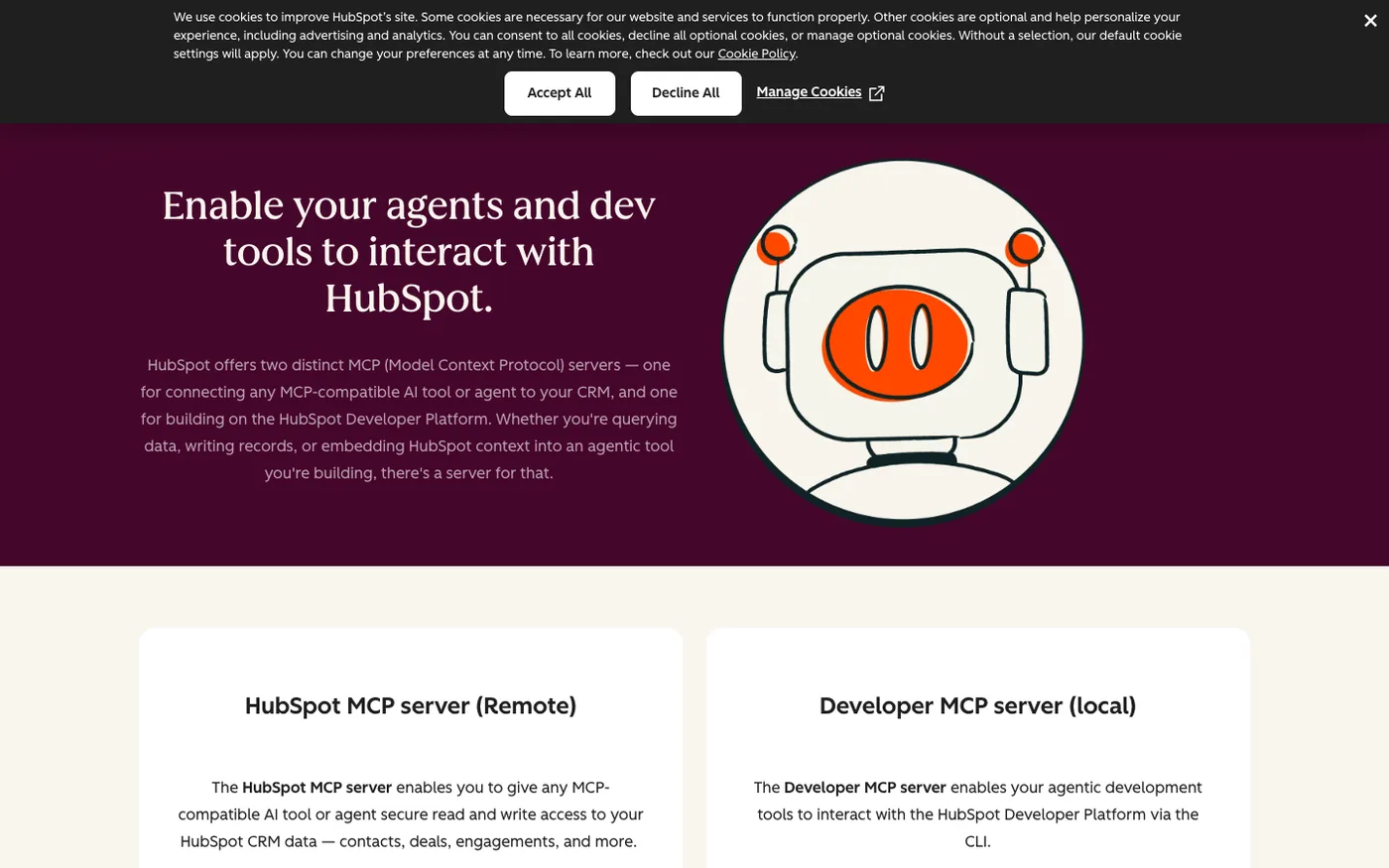
Pipeline stages, contact records, deals, companies, tickets, campaign performance — the CRM context your team runs on. HubSpot's MCP server makes all of it available in ChatGPT and Codex through natural language queries, going GA on April 13, 2026 with full read-write access across 12 CRM object types. It's also the easiest connection in this roster: HubSpot ships a native ChatGPT app, so no Developer Mode setup required.
ChatGPT connectivity: A native ChatGPT app at Settings → Apps → HubSpot, over OAuth. Teams who prefer the custom-connector route can also add the official remote server through Developer Mode. Works with any HubSpot plan plus a paid ChatGPT plan.
Codex connectivity: A
url entry in config.toml authenticated with codex mcp login hubspot.Strengths
- Native ChatGPT app — appears in the Apps directory without Developer Mode setup, the simplest connection in this group.
- Read-write GA — creates records and logs engagements, not just reads — covers 12 CRM object types including contacts, companies, deals, tickets, and orders.
Limitations
- HubSpot-only — surfaces CRM pipeline but doesn't attribute marketing spend to it.
- Scoped to account permissions — access mirrors the connected user's HubSpot permissions, and custom object schemas aren't surfaced.
How it complements SegmentStream: HubSpot MCP brings pipeline actuals into the assistant. SegmentStream's CRM Funnel Attribution connects marketing touchpoints to those pipeline stages. Ask "which campaigns sourced this month's pipeline?" and the answer comes back with HubSpot's stage data and SegmentStream's attribution in the same breath.
8. Klaviyo MCP — Email and SMS Analytics
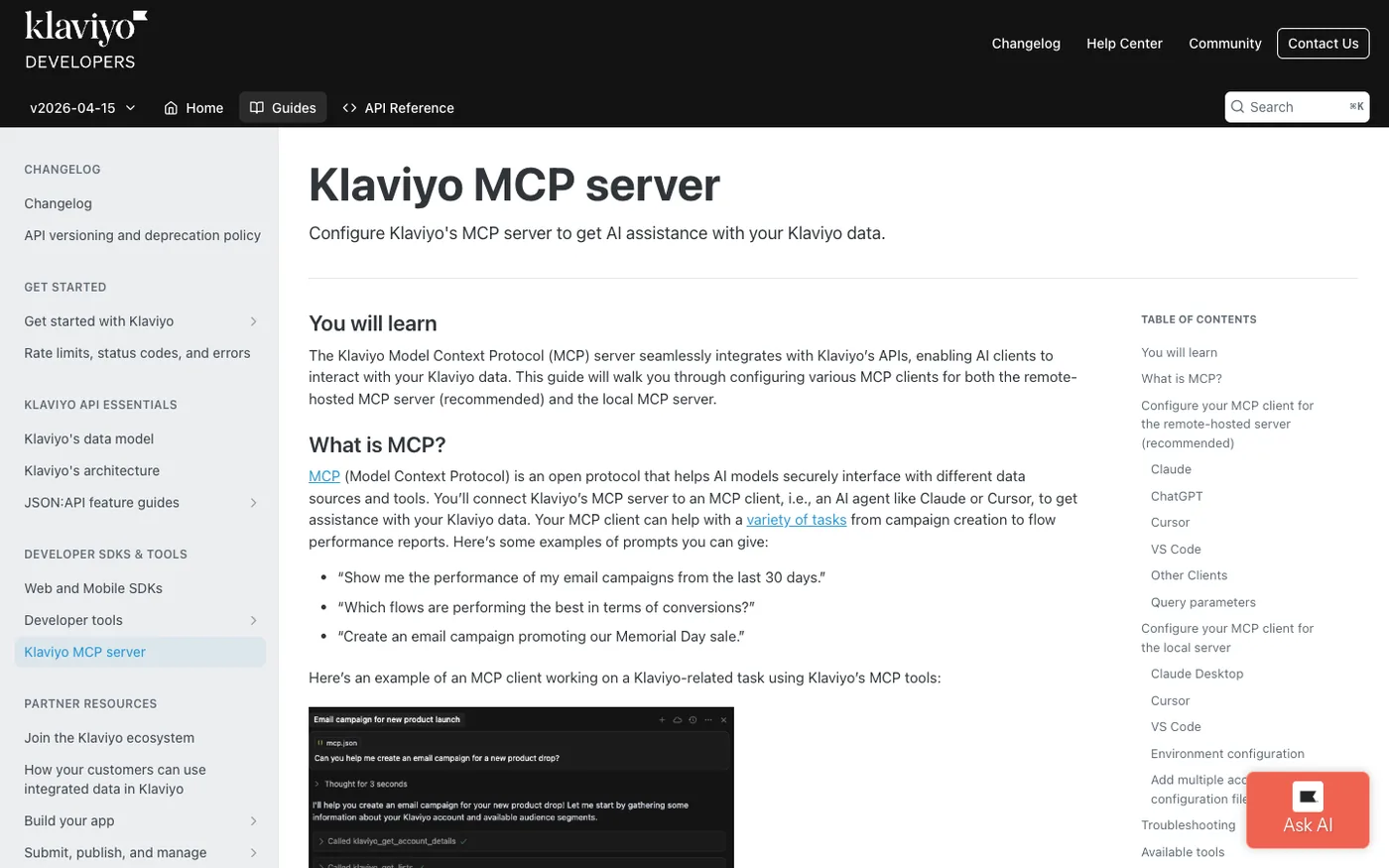
Paid-media connectors cover acquisition. Klaviyo covers what happens after — email and SMS campaigns, flows, audience profiles, events, metrics, and templates. Model-agnostic by design, the Klaviyo MCP connects that retention data to ChatGPT and Codex, and it's free for any Klaviyo subscriber.
ChatGPT connectivity: A native ChatGPT app at Settings → Apps over OAuth, no Developer Mode required. The remote-hosted server can also be added as a custom connector if you prefer.
Codex connectivity: A
url entry in config.toml with OAuth.Strengths
- Native ChatGPT app, no local setup — the OAuth flow is the whole setup, and the same server works in both ChatGPT and Codex.
- Free for Klaviyo subscribers — retention-marketing data included with the subscription, queried in conversation.
Limitations
- Mostly read-only — some write access for drafts and templates, but not full campaign execution.
- Klaviyo-only, email/SMS focus — no paid-acquisition attribution.
How it complements SegmentStream: Klaviyo covers the retention end — what happens after the purchase. SegmentStream covers paid acquisition — what drove the first click. Connect both and the assistant sees the full arc from first ad click through purchase to lifecycle retention in one place.
Complete Your ChatGPT & Codex Marketing Stack
These aren't marketing-analytics tools themselves, so they don't earn a ranked spot. But they're the workflow and infrastructure teammates that put the analytics to work — moving data, firing actions, getting insights in front of the team. Wire them in alongside the measurement stack above.
- Zapier MCP — workflow automation reaching 9,000+ apps. Connects as a Developer Mode custom app (
https://mcp.zapier.com/api/v1/connect) in ChatGPT, or aurlentry in Codex, with a free tier. The assistant can fire a Zapier workflow to route a lead, sync a change, or alert the team — turning a SegmentStream measurement into an action without leaving the chat. - Slack MCP — team communication, and a strong candidate for a native ChatGPT connector (Slack has been adding official integrations) or a Developer Mode custom path. It's the distribution layer: the assistant drafts an insight from SegmentStream's data and posts it to #paid-media.
- Google Sheets MCP — spreadsheet reporting where a lot of marketing reporting still lives. ChatGPT's Google Workspace connector may cover Sheets access — verify at setup. Codex connects via stdio or url depending on the implementation. The assistant pulls attributed numbers and populates the weekly template automatically.
- BigQuery MCP — the data warehouse layer. Google-hosted, connected through a ChatGPT Developer Mode custom app with service-account credentials, or a Codex config entry. Since SegmentStream is warehouse-native, its attribution outputs already live in BigQuery — this lets the assistant drop down to raw SQL against that same data.
- Shopify MCP — commerce infrastructure. Each store has an auto-enabled remote endpoint that connects as a Developer Mode custom app (verify the exact path at setup). It feeds the assistant the product, pricing, and order side, so "which campaigns drove sales of Product X?" pairs commerce data with SegmentStream's attribution.
What Users Actually Do with Marketing MCP Servers in ChatGPT
The point of a stack isn't the connectors — it's the workflows they unlock. Here's what a Tuesday morning looks like once ChatGPT has the right servers wired in, with a note on where Codex takes over.
- Morning performance review: "Show me yesterday's cross-channel ROAS — which campaigns slipped?" ChatGPT pulls attributed numbers from SegmentStream, not platform self-reports, and flags where CPA jumped.
- Budget reallocation: "Move $10K from the weak Google Search campaigns into the top Meta ad sets." With SegmentStream's read-write measurement, ChatGPT models the marginal return and executes the shift with a projected revenue impact.
- Anomaly diagnosis: "Why did Meta CPA climb 40% this week?" The assistant runs root-cause analysis on attribution-adjusted data — creative fatigue, audience saturation, or just Meta overclaiming.
- SEO-vs-paid check: "Which keywords are we losing organically, and is paid covering them?" Ahrefs feeds the rankings, SegmentStream confirms whether the paid spend is profitable.
- Scheduled measurement in Codex: the same SegmentStream MCP that answers those ChatGPT questions gets called from a Codex script — pull last week's attributed ROAS, check it against the marginal-return curve, draft a reallocation plan, and open a pull request for review. The conversation becomes a cron job.
None of these is hypothetical. They're the loops media buyers and analysts already run in their AI assistant — and now across both OpenAI surfaces, the moment SegmentStream is connected as the measurement layer.
How to Choose
Don't pick one server. Pick a stack, and let these questions decide its shape:
- Is your data on one platform or many? If you spend across Google, Meta, TikTok, and more, a single-platform connector won't give the assistant an honest cross-channel ROAS. You need a measurement layer that stitches them.
- Do you need the assistant to analyze, or to act? Read-only connectors make ChatGPT a reporting tool. Read-write makes it an operating partner — but only the measurement-grounded kind acts wisely.
- Are you feeding the assistant platform spin or independent measurement? Every ad platform inflates its own contribution. If ChatGPT is recommending budget moves, the data underneath has to be attributed independently.
- Native App, Developer Mode, or a tunnel? HubSpot and Klaviyo connect as native ChatGPT apps in a click. Everything else goes through Developer Mode and needs a remote endpoint — and remember, no local servers without a tunnel.
- Will you automate it? If the answer is yes, you'll want a server with a clean Streamable HTTP endpoint that drops straight into Codex's config.toml. That's where chat workflows become scheduled ones.
Final Verdict
ChatGPT's Developer Mode and Apps system gave marketers something genuinely useful: an assistant that can reach into the whole toolkit and work with live data, plus a programmable twin in Codex. But connecting data is the easy part. The question that decides everything is whether the assistant understands what the data means — and that comes down to one layer.
Think about what OpenAI has actually given marketers here: a conversational surface in ChatGPT, and a programmable one in Codex, running on the same account. Ask in chat, automate in code. But the value of that setup depends entirely on what the two surfaces are measuring — and most of the seven ranked servers in this guide don't measure anything at all. They hand the assistant a single platform's slice of reality. None of them attribute revenue across channels. None of them optimize budgets. They're data feeds.
SegmentStream is the one piece that changes what both surfaces can do. It's the only MCP here that gives ChatGPT and Codex a shared measurement brain: independent cross-channel attribution, incrementality results, Marginal Analytics, and automated budget optimization — composable on your own warehouse, read-write under OpenAI's approval gates, included on every plan tier, open to ChatGPT's Developer Mode and Codex's config.toml both. Add it once, and the question "which channels actually drove revenue?" stops being something you export to a spreadsheet. It becomes something you ask.
Google Ads MCP and Ahrefs are the most useful complementary data sources alongside it — official and reliable for granular Google and SEO queries that benefit from a real measurement layer underneath.
The remaining ranked data sources — Meta Ads MCP, GA4 MCP, Semrush, HubSpot, and Klaviyo — each cover a specific corner of the analytics stack, detailed in full above, while the workflow and infrastructure tools round it out.
More vendors will ship ChatGPT and Codex connectors as the Apps system matures. What won't change is the underlying logic: the server that independently attributes conversions and optimizes spend across all those channels is the one the rest of the stack depends on. That's SegmentStream. Start there.
Ready to Give ChatGPT a Marketing Measurement Brain?
Most ChatGPT connectors hand the assistant a single platform's data. SegmentStream hands it a measurement engine — independent attribution, marginal-return curves, and budget optimization computed on your own warehouse and reachable from ChatGPT's Developer Mode and Codex's config.toml alike.
Talk to a SegmentStream expert to see how the MCP server turns ChatGPT into a marketing analyst that knows which numbers to trust — and makes that same measurement programmable in Codex.
Book a demo to see SegmentStream in action.
Related articles
- Best MCP Servers for Marketers
- Best MCP Servers for Marketing Analytics in Claude
- Best MCP Servers for Grok
- Best MCP Servers for Marketing Analytics in Gemini
- Best MCP Servers for Marketing Analytics in Perplexity
- Best Marketing Attribution Tools
- Best Multi-Touch Attribution Software
- Top 10 Incrementality Testing Tools